- 9-
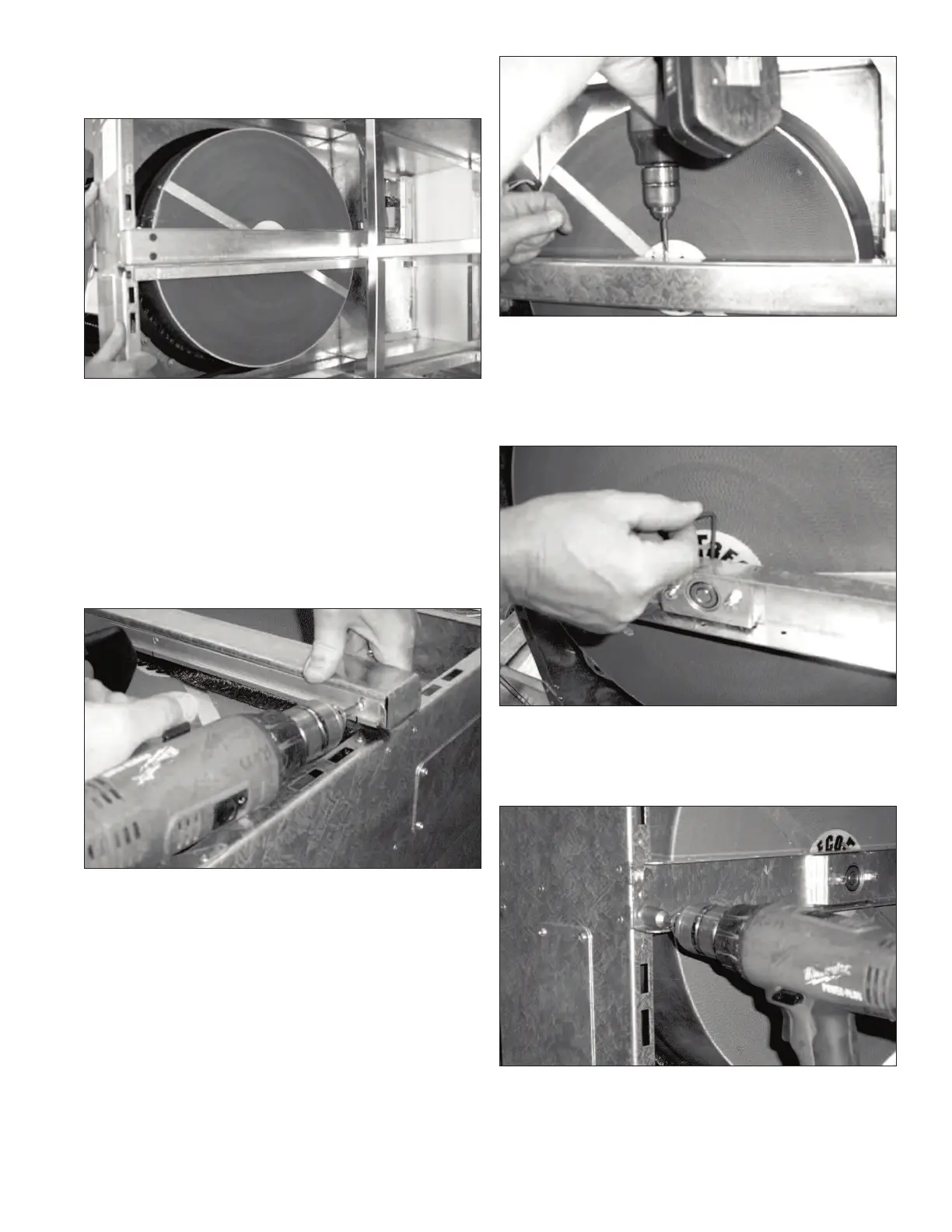
Remove the cassette assembly by sliding it forward out
of the cassette guides. Ensure that no wires are damaged
during this process.
Cassette Service
Brush Seal
Complete the following instructions to replace the brush
seal on both sides of the cassette. On the belt side of the
cassette, remove the two Phillips screws holding the air
filter guide to the cassette assembly. Remove the addi-
tional Phillips screw holding the brush seal to the cassette
assembly. On the motor side of the cassette, remove the
three Phillips screws holding the brush seal to the cas-
sette assembly.
Install the new brush seals so that the bristles come in
contact with the cassette. Reverse the procedures above
to re-install the brush seals and the air filter guide.
Drive Belt
To replace the cassette drive belt, the brush seal
located on the drive belt side of the cassette must be
removed. Complete the steps in the previous section for
the removal of the brush seal prior to completing the
following procedures.
The cassette beam assembly must be removed to gain
access to the cassette drive belt. To remove the cassette
beam assembly, remove the three Phillips screws used to
fasten the cassette beam cover.
Using a 1/8" Allen key, loosen the two set screws used
to tighten the cassette bearing to the cassette shaft. The
set screws are located in-line with the cassette shaft,
between the cassette and the cassette beam. After loos-
ening one set screw, it will be necessary to rotate the
wheel a half turn to access the second set screw.
Using a 7/16" nut driver, remove the four 1/4" bolts
holding the cassette beam to the cassette frame. The
cassette beam can now be removed and placed aside to
re-install later.



 To Next Page