10
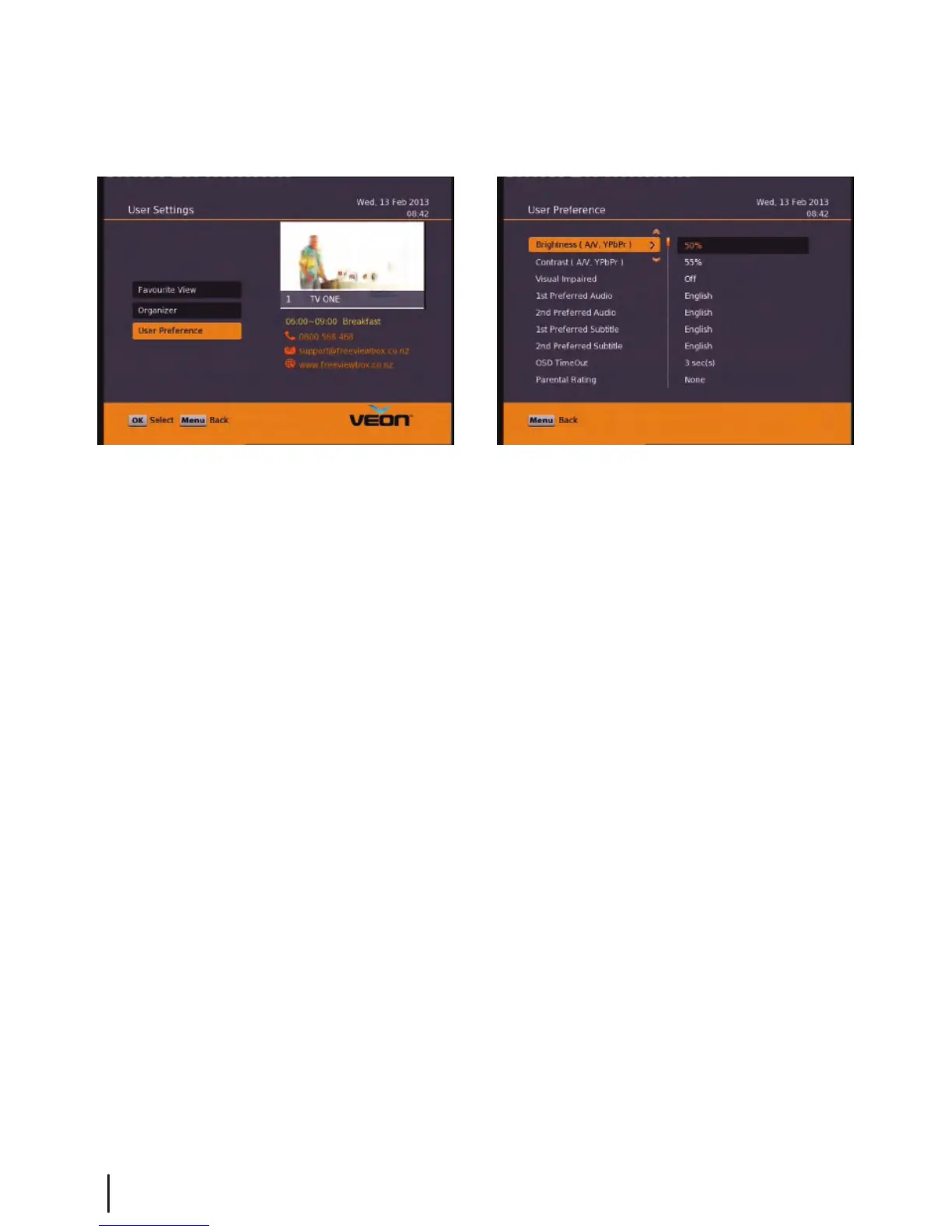
User Preference:
Note: To adjust a preference use the right arrow on your remote not the OK button. The OK button will
save the changes you have made. You will need to scroll down the page using the down arrow to see the
rest of the preferences.
Here you can adjust your brightness and contrast levels.
The Visual Impaired option turns discriptive audio on/o. This setting is for the sight impaired.
Audio and Subtitle Languages - The default is English and other languages will only be played/displayed
if available.
OSD TimeOut or On-Screen-Display timeout, this option will adjust how long the information banners will stay
on the bottom of your screen, these banners appear each time you change channel.
Parental Rating - To enter this option you will be prompted for your password (Default is 0000). Here you can
change the password. (Passwords can only be 4 numbers.) You can also set the parental rating using the
Yellow and Blue buttons on your remote.
Recording Start Oset - This option will adjust how many minutes before your program the unit will start recording.
This is very handy when programs are not running on time so you don’t miss part of your program.
Recording Stop Oset - This option will adjust how many minutes after your program the unit will stop recording.
This is very handy when programs are not running on time so you don’t miss part of your program.
Auto Time Shift Mode - (Only when available) When this option is on the unit will time-shift continually.
Each time you change channel the previous time shift will be deleted and it will start again on that channel.
Time Shift Mode - (Only when available) When this option is on the unit will time-shift only when the Pause button
is pushed.
Time Shift Duration - Here you can set the maximum length of your time shift.
Load Date & Time - It is best to leave this set to Optus D1 to keep the correct time for NZ.
Main Menu - User Settings - User Preference


 To Next Page