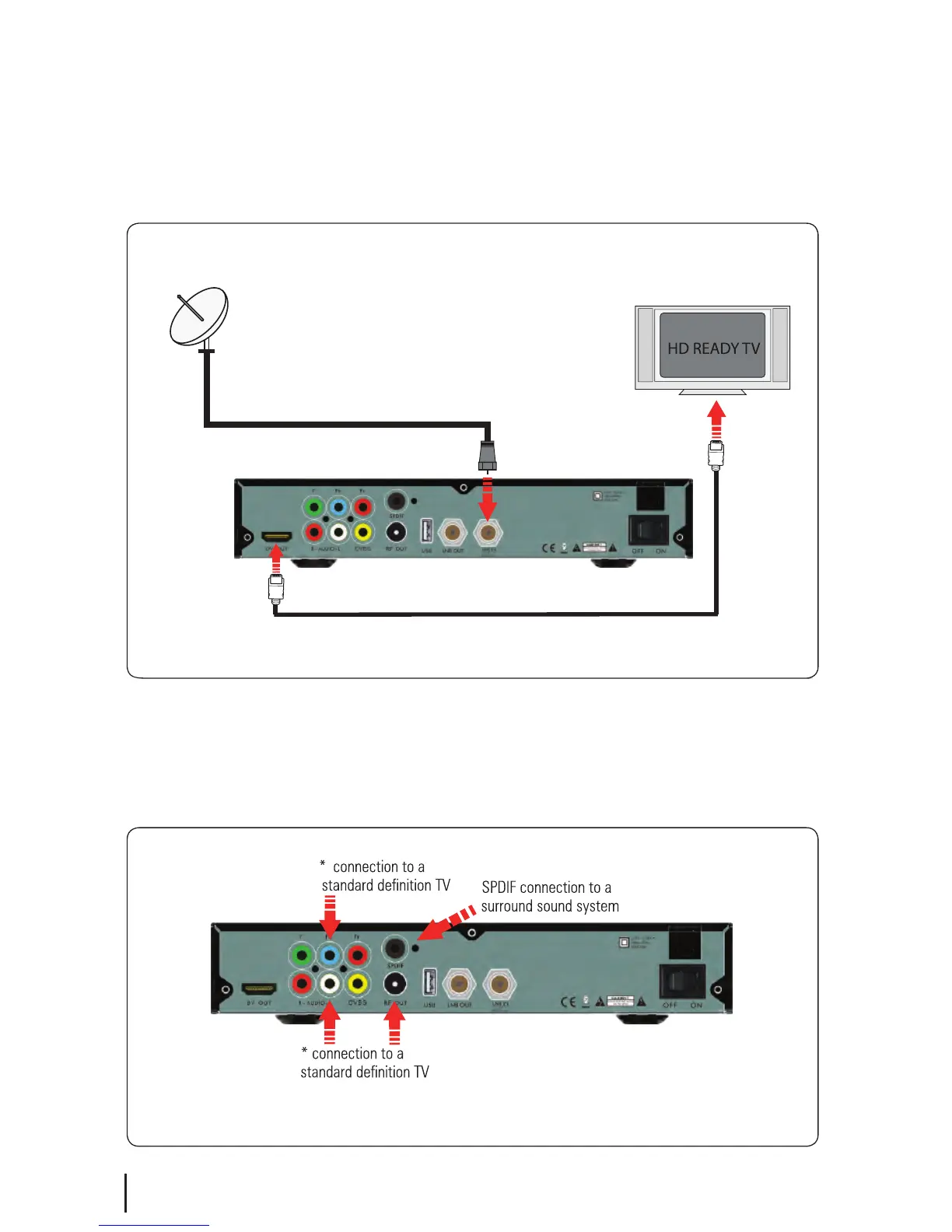
Connect the cable that comes from your Satellite dish to the LNB IN socket in the back of your
set top box. If you have If you have an HDMI cable connect this between the HDMI port on
your satBox and one of the HDMI inputs on your HDTV. If you do not have an HDMI cable or
an HDTV connect the AV cable that came with your SAT101 between the yellow red and white
sockets on back of your set top box and an AV input on your TV.
6
Connecting your Veon Satellite Receiver
Connecting to a HD Ready TV
Other Connections
HDMI Cable (576i Output)


 To Next Page