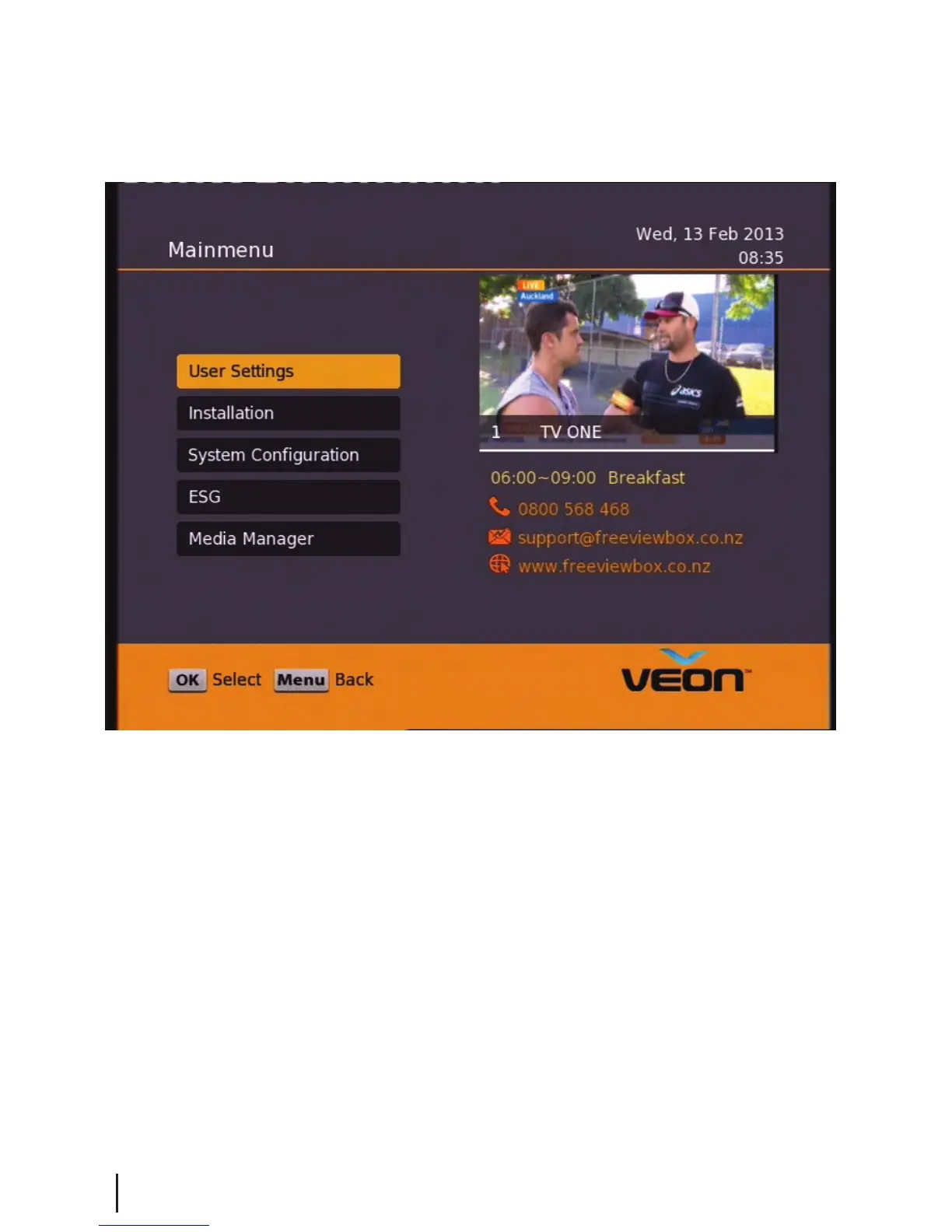
Main Menu:
All other settings and tuning menus are selected from this main menu.
This menu is the gateway for all other menus.
You can invoke the main menu by pressing the MENU button.
This main menu contains several options:
User Settings
Installation
System Conguration
ESG
Media Manager
You can toggle between the options by using UP/DOWN or LEFT/RIGHT arrow keys in the center of the remote
To enter a sub menu from the main menu press the OK button.
Main Menu
8


 To Next Page