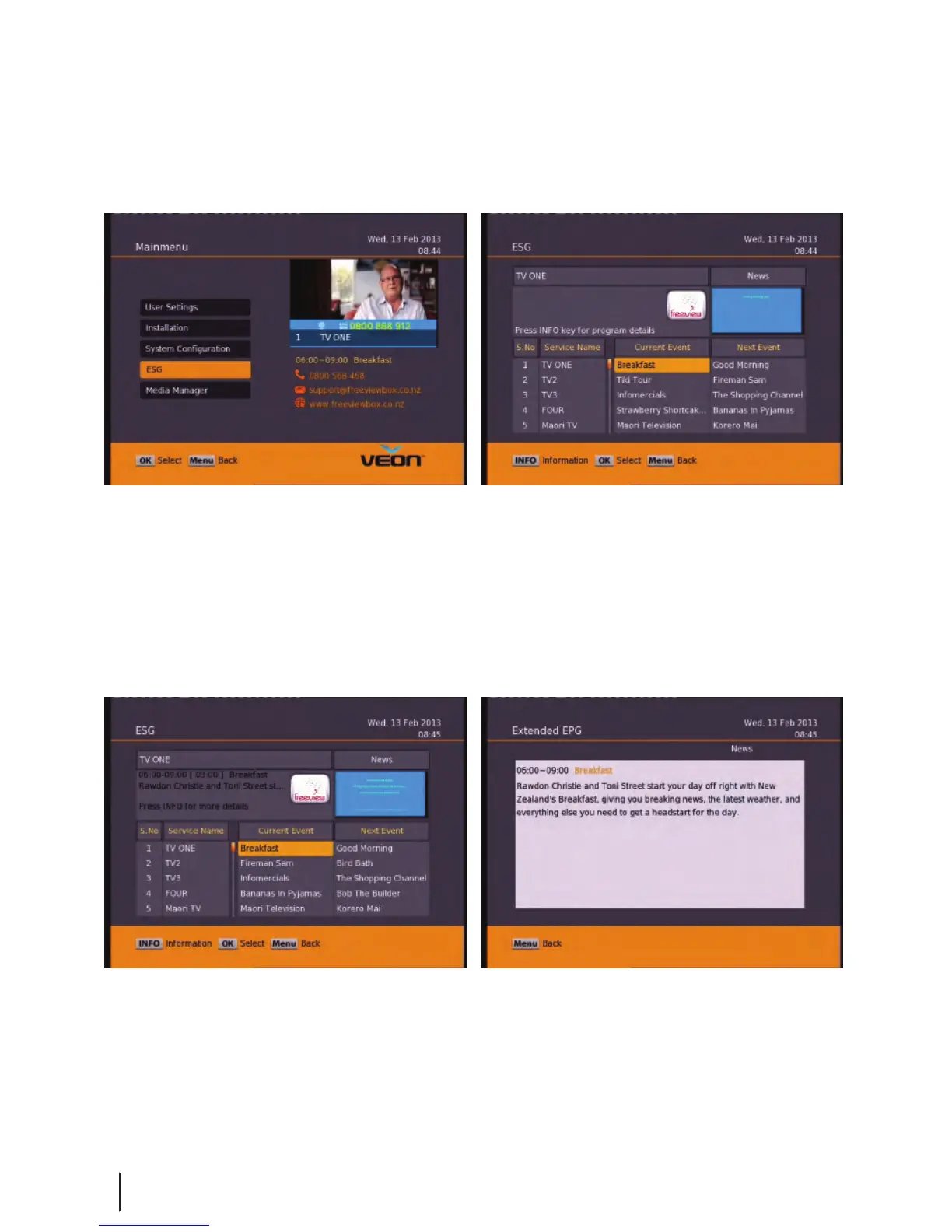
Main Menu - ESG
ESG
The ESG is an Electronic Service Guide. This is in addition to the freeview EPG
(accessed using the EPG button) . Usually you will only use the ESG for non-freeview
satellite channels. The ESG will be displayed when selecting the ESG option from the
Main Menu. It will list the available services and when focus is set to the current
service then its corresponding current and next events are displayed.
When your in the ESG schedule dialog and the Info button is pressed on the selected event a short
description is shown above, pressing the Info button again will give an extended description of the
selected event that will be displayed.
16


 To Next Page