26
Troubleshooting
No picture The Unit is not plugged in or turned
on at the wall.
Check the front panel. If nothing
is illuminated then it is a power
issue - please check power
socket and plug socket.
Remote control is not
working
Your TV isn’t able to display the
current Output Format.
No batteries or batteries incorrectly
inserted.
Insert the supplied 2x AAA batteries
as shown on page 7.
Batteries are at. Insert new batteries as shown on
page 7.
Infrared receiver on unit is
obstructed.
Check that there is a clear “line of
sight” from the remote to the sensor
on the front panel.
Picture is distorted -
too wide or narrow
Wrong TV shape is set. Go to Main Menu/Installation/System
Setting/Aspect Ratio, make sure it is
set to match the shape of your display.
Please make sure that Main Menu -
Installation - System Setting - HD
Resolution is set to one that
your TV will be able to display.
You can view this using the
composite output
Problem
Possible Causes Solution
When recording 1 channel
cannot go to some other
channels
Because the SAT101 only has 1 tuner this means you can only look at 1 channel
group at a time (there are two channel groups) so while you are recording 1
channel you can only watch other channels in the same group.
No Channels loaded.
Database is Empty
This means the unit did not have Signal
when a scan was done.
Dish Cable not plugged into LNB in
Faulty LNB or Dish.
After you have had your dish
checked then got to Main
Menu/Installation/Factory Default
and scan again.
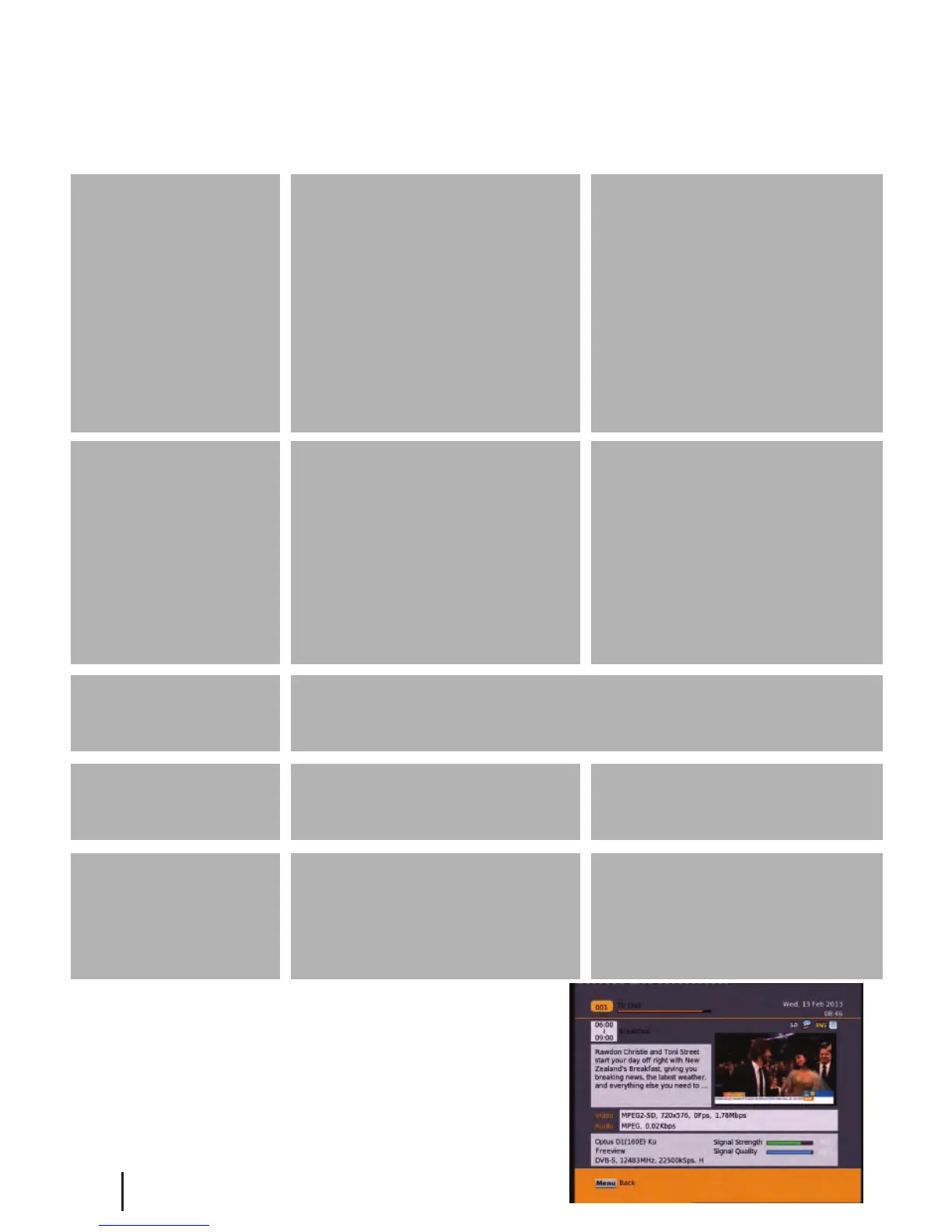
How to check your signal and quality levels
Push the info button on your remote twice to display the
screen to the left. Down the bottom right you will see your
signal and quality levels. A normal signal strength is
around 75-100% and a normal signal quality level is
80-100%. If your levels are lower than normal and you are
having problems you will need to get your dish checked
by a satellite technician.


 To Next Page