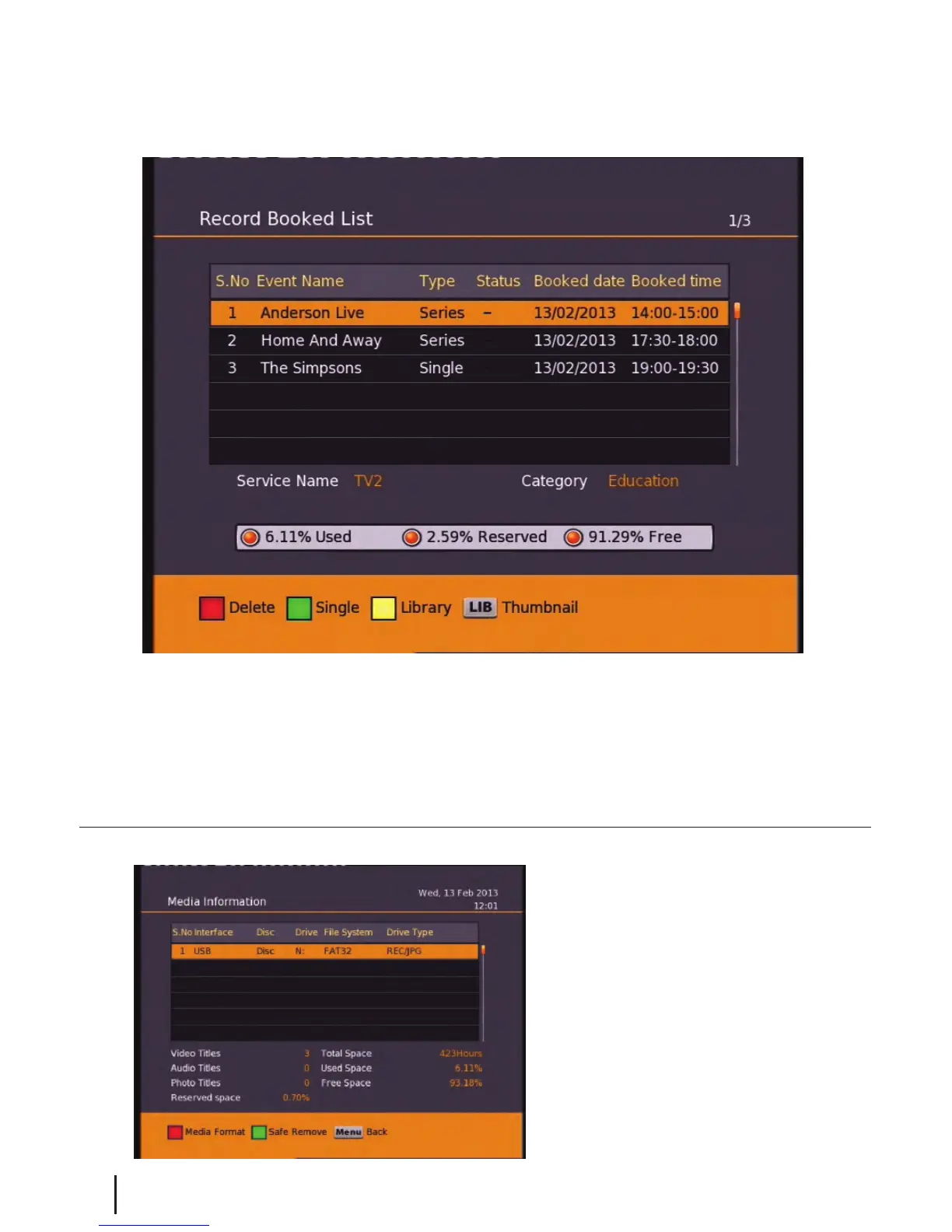
Main Menu - Media Manager - Recorded Book List/Media Information
18
Here you can view all your programs waiting to record. You can use the Red button on your remote
to delete a booking. The Green button on your remote will change the selected booking between a
single record or a series booking. The Yellow button will take you to the recordings library. A max of
16 bookings can be made. (This limit may be increased in the future.)
Media Information
This window provides your storage
device information. In this window
you can press the Red button to
format your storage device.
Formatting will remove all your
recordings.
To view the Record Booked List, Hold down the LIB button for 3 seconds while viewing a channel. Or
if you are in the library press the Options button (Blue) and select it in the options list that appears.


 To Next Page