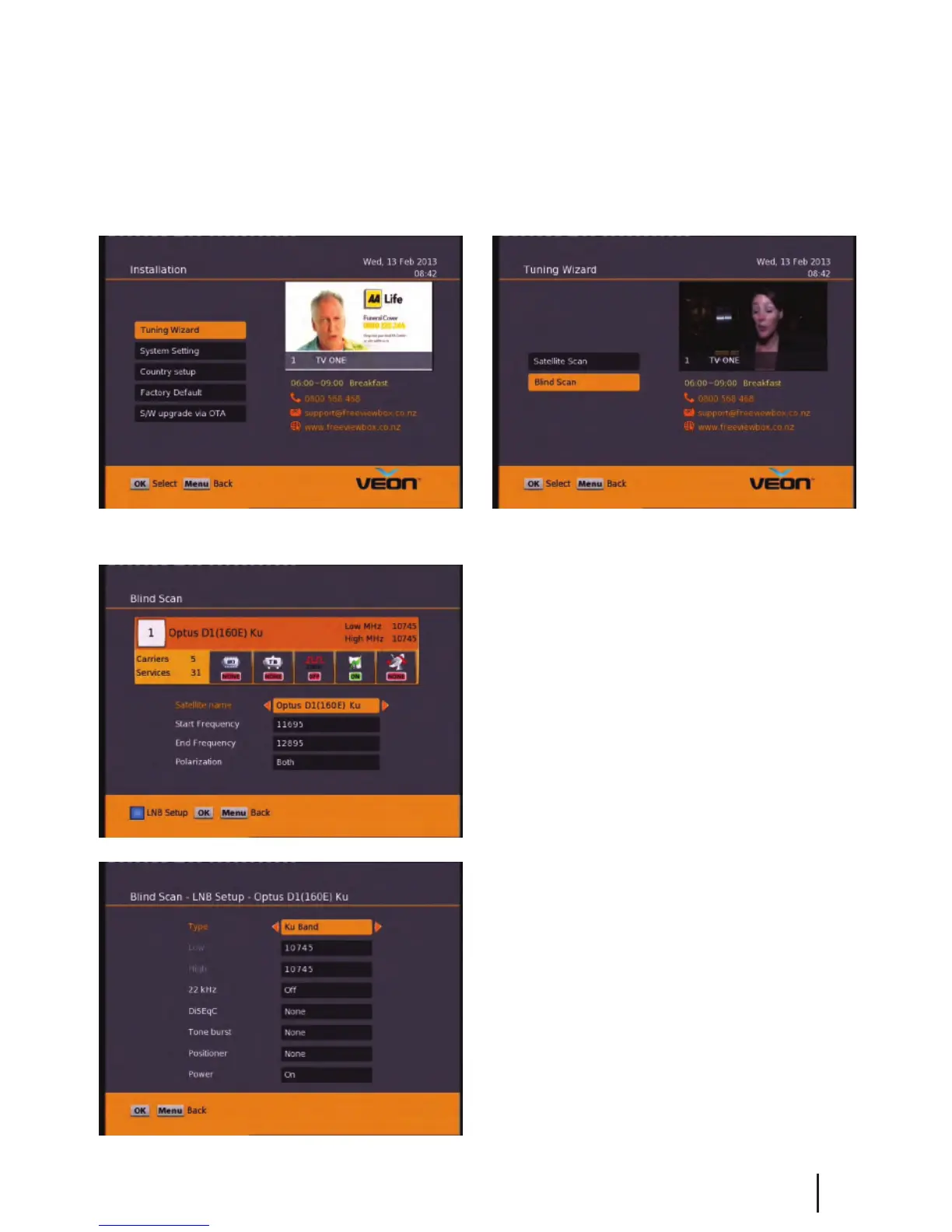
Main Menu - Installation - Tuning Wizard - Blind Scan
Pressing the Blue button will take you into the
LNB setup menu and allow you to adjust LNB
settings.
Before scanning, LNB frequency, DiSEqC and
positioner details, if used, need to be set for
each satellite. Press OK once correct settings are
completed. You will be returned to the Blind
Scan page.
Blind Scan
Allows you to specify what frequency range to
scan. You can also select the polarity, or to scan FTA
or scrambled channels.
To enter this menu you will be prompted for your password (Default is 0000)
11
Advanced User Settings


 To Next Page