20
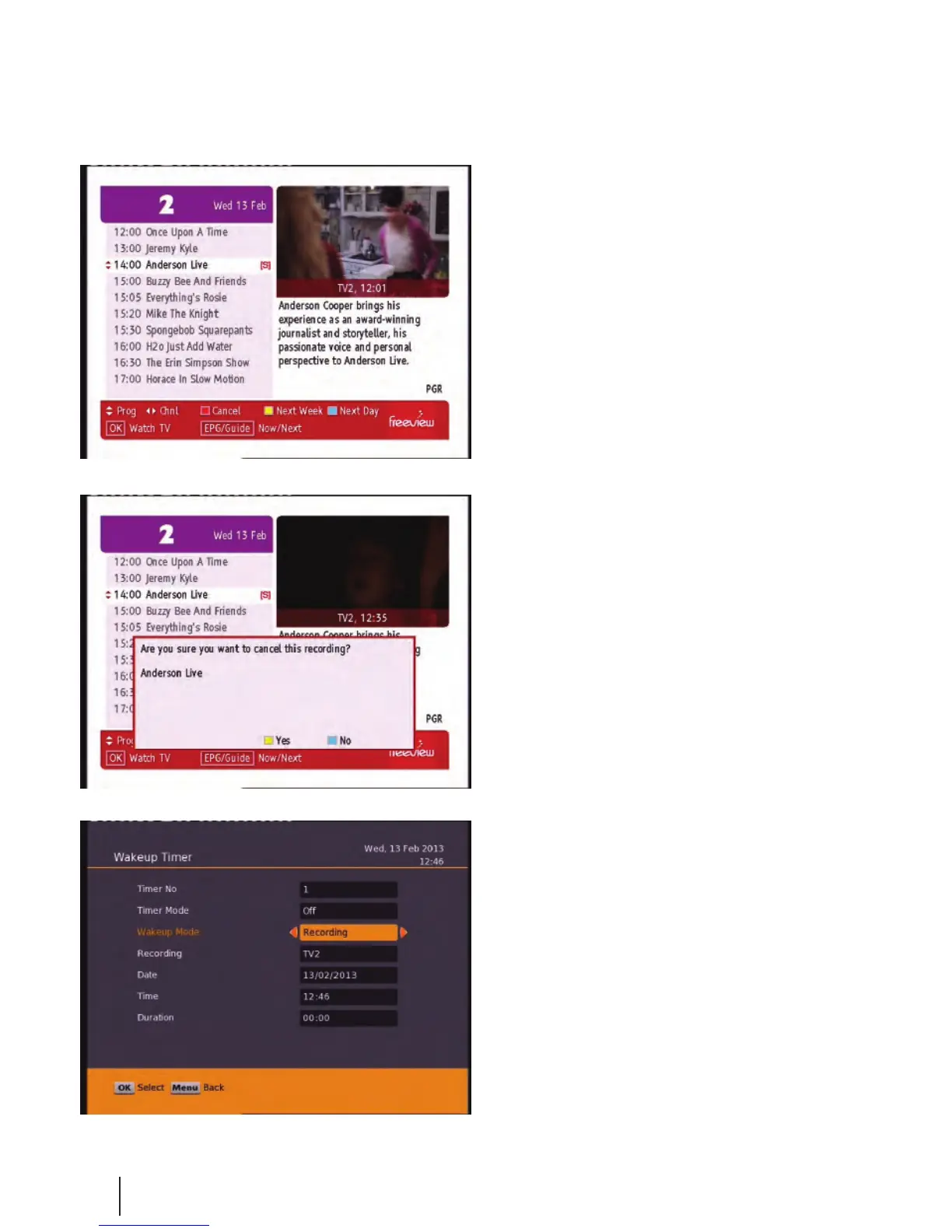
If you want to cancel a recording, all you have to
do is go back into the EPG menu, go to the
programme you selected for recording and press
the Red button this will ask you whether you
want to cancel the recording or not.
Recording
Wakeup Timer - Recording:
From here you can manually set timer record-
ings. This is done through Main Menu/System
Conguration/Wakeup Timer. By going down to
the Wakeup Mode and scrolling across to
Recording the options beneath will change to
accomodate the new wakeup mode, giving you
choices of Channel, Date, Time and Duration. See
page 15 for more info on the wakeup timer.
Once you have a recording set you will see a small
R or S to the righthand side of your program. The
R indicates the program will only be recorded
once, the S indicates the program will be recorded
every time it appears on TV.


 To Next Page