DEVICE SETUP
Examining e355 Device Features
E355 INSTALLATION GUIDE 13
3 Remove the clear protective film from the unit.
4 Save the shipping carton and packing material for future repacking or moving
the device.
Examining e355
Device Features
Before you continue the installation process, familiarize yourself with the features
of the e355. (See
Figure 3 and Figure 2)
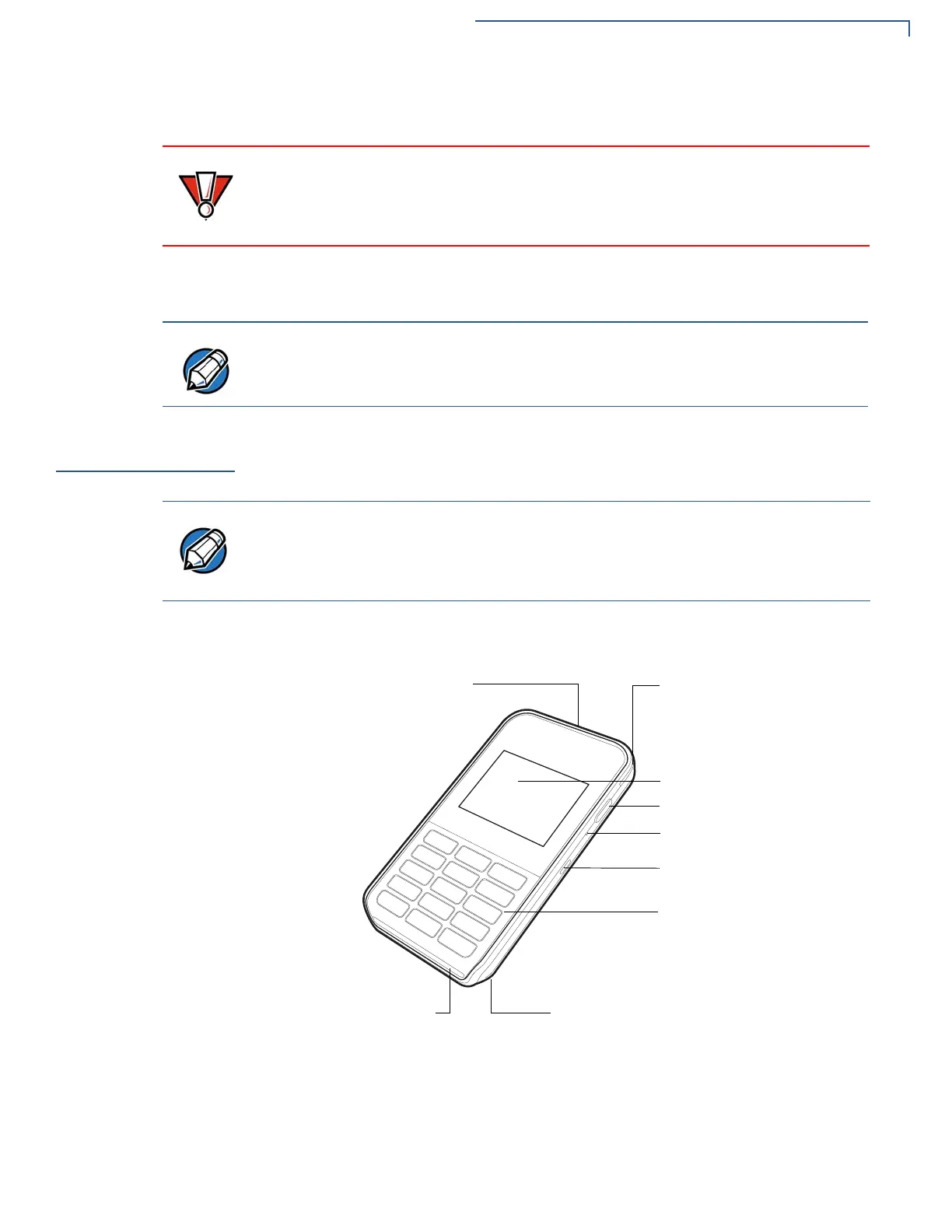
Front View
The front panel includes the following features:
Figure 2 e355 Device Features (Front View)
Do not use a unit that has been damaged or tampered with. The e355 comes
equipped with tamper-evident labels. If a label or component appears damaged
or if the device appears to have been opened, please notify the shipping
company and your Verifone representative or service provider immediately.
Charge the e355 device for eight hours before initial use.
Verifone ships variants of the e355 for different markets. Your device may have a
different configuration. The following devices may or may not be present: a CTLS
reader, smart card reader, or a barcode scanner. However, the basic processes
described in this guide remain the same, regardless of device configuration.
LCD DISPLAY
KEYPAD
MAGNETIC STRIPE
BARCODE BUTTON
POWER LED INDICATOR
MICRO-USB PORT
DOCKING CONNECTOR
2D IMAGER
SMART CARD READER
READER


 To Next Page
 Loading...











