DEVICE SETUP
Using the Gang Charger and Smart Charger
E355 INSTALLATION GUIDE 27
To simultaneously charge the e355 and iPod touch 6 device, plug the other end of
the USB cable to a wall-mount charger or the USB port on a computer and
connect it to the USB port located on the right side.
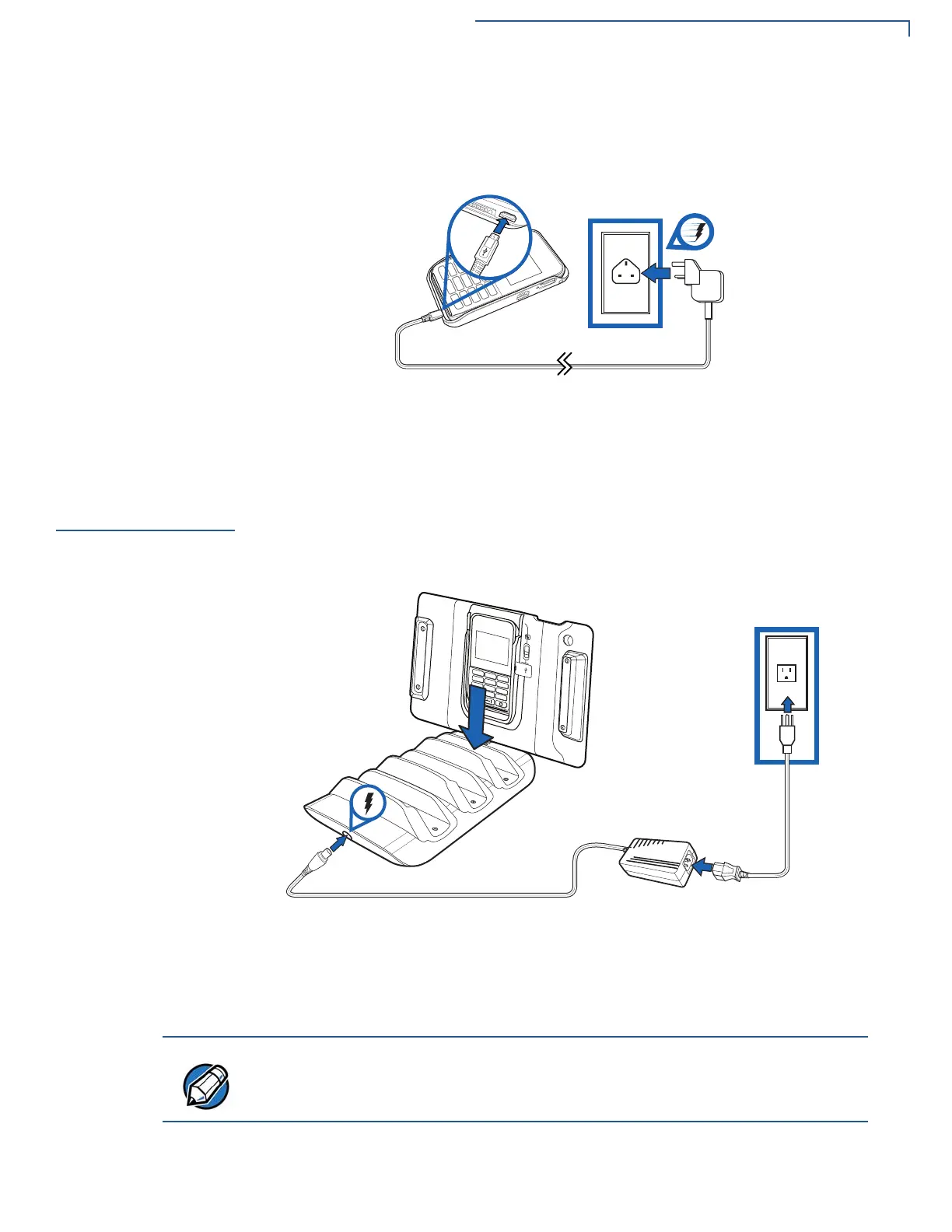
Figure 28 Connecting the e355 Frame Type A to a Wall-Mount Charger
(iPod touch 6)
Using the Gang
Charger and
Smart Charger
Using the Gang Charger and Smart Charger also allows you to simultaneously
charge an e355 terminal and your Apple device.
Gang Charger
Use the Gang Charger to charge your e355 terminal and iPad mini/iPad 2 device.
Figure 29 Using the Gang Charger
Smart Charger
Use the Smart Charger to charge your e355 terminal and iPod touch 6 device.
Two charging cradles are available for the Smart Charger. One only supports the
standalone e355 terminal while the other supports the e355 Type A Frame.
Regardless of the charging cradle used, the PC/Network connection and
charging procedures are the same.



 To Next Page
 Loading...










