SETUP
M425 Wi-Fi/BT Support
M425 I
NSTALLATION GUIDE 28
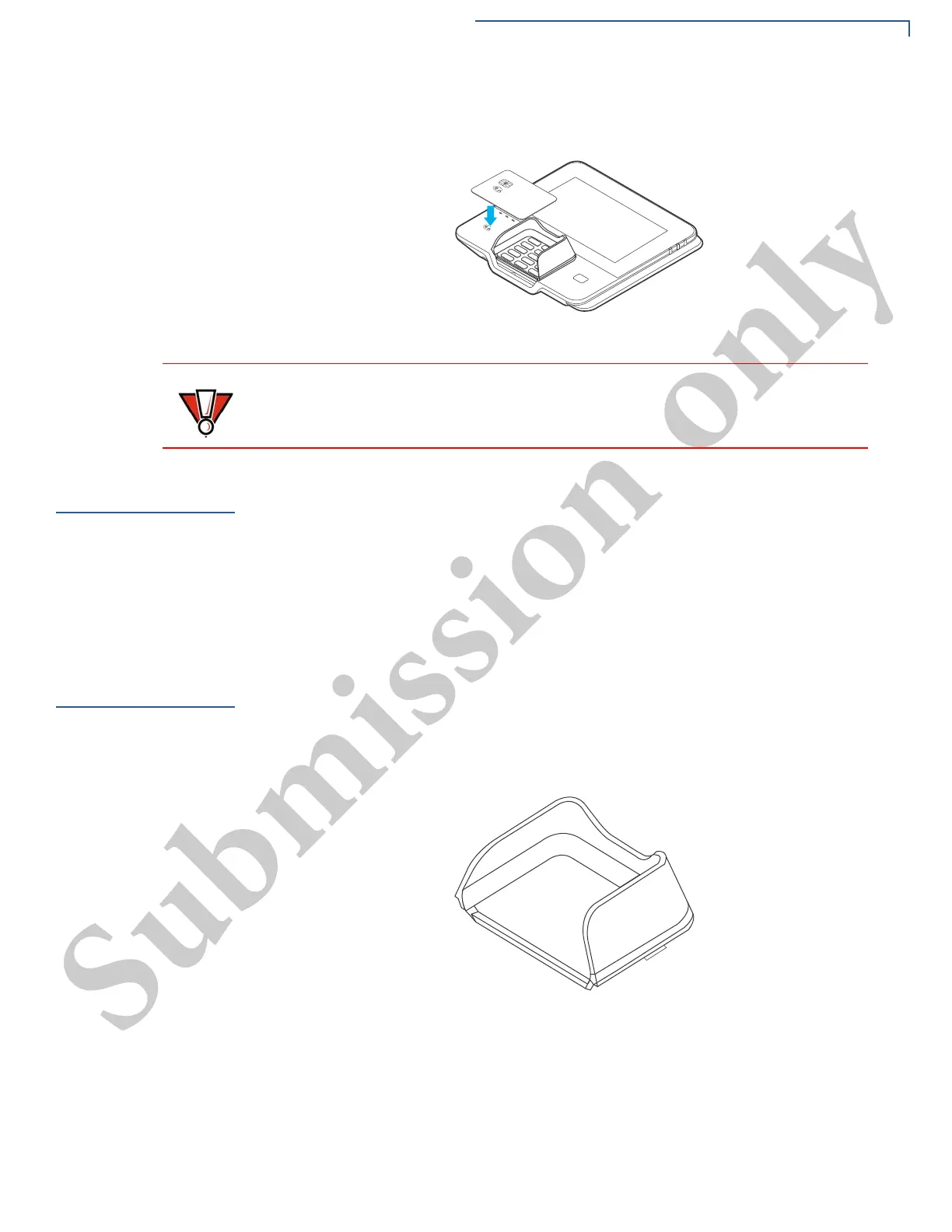
2 Activated LED icons accompanied by a short beeping sound indicate a
successful transaction.
Figure 12 Contactless Smart Card Transaction
M425 Wi-Fi/BT
Support
The M425 device includes an integrated WLAN RF transceiver for Wireless LAN
systems with advanced power management, and an integrated radio transceiver
for Bluetooth wireless systems.
Bluetooth Support
Supports BR/EDR and LE, including Eddystone and iBeacon.
Wireless
Transaction
M425 device supports wireless transactions. Wireless transactions occur when
initialized by an application.
Optional
Accessories
These accessories can be used to further enhance the device’s functionality. See
for list of part numbers for additional information.
Privacy Shield
The privacy shield is used to deter the visual observation of PIN values as they
are being entered by the cardholder during a transaction.
Figure 13 M425 Privacy Shield
Installing the Privacy
Shield
To install the privacy shield:
1 Ensure the device's surface is clean and free of dirt.
2 Remove the protective film of the adhesive bonding.
Do not allow metallic surfaces to come in contact with the contactless module to
ensure that it works properly.



 To Next Page