USING THE TERMINAL KEYS
The Keypad
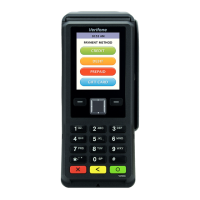
V200
C REFERENCE GUIDE 13
Clear Key
In normal mode, the Clear key is commonly used to delete a number, letter, or
symbol on the terminal’s display screen. Press Clear one time to delete the last
character typed on a line. To delete additional characters, moving from right-to-
left, press Clear once for each character or hold down Clear to delete all
characters in a line.
In System mode, the specific effect of pressing the Clear key depends on the
currently active System mode menu.
Enter Key
In normal mode, the Enter key is generally used in the same way as the enter key
on a PC, that is, to end a procedure, confirm a value or entry, answer “Yes” to a
query, or select a displayed option.
In System mode, press the Enter key to begin a selected procedure, step forward
or backward in a procedure, and confirm data entries. The specific effect of the
Enter key depends on the currently active System mode menu.
Navigation Key
V200c has navigation keys that can be used to navigate through the system mode
menus/application menus and select specific operations.








 To Next Page