121
/ CONFIGURING
ADVANCED SETTINGS
verizon.com/business/products/fios-internet | ©2020 Verizon. All Rights Reserved
8.2d/ IPv6
Use the IPv6 feature settings to enable, disable, or configure an
IPv6 Internet connection and IPv6 LAN settings.
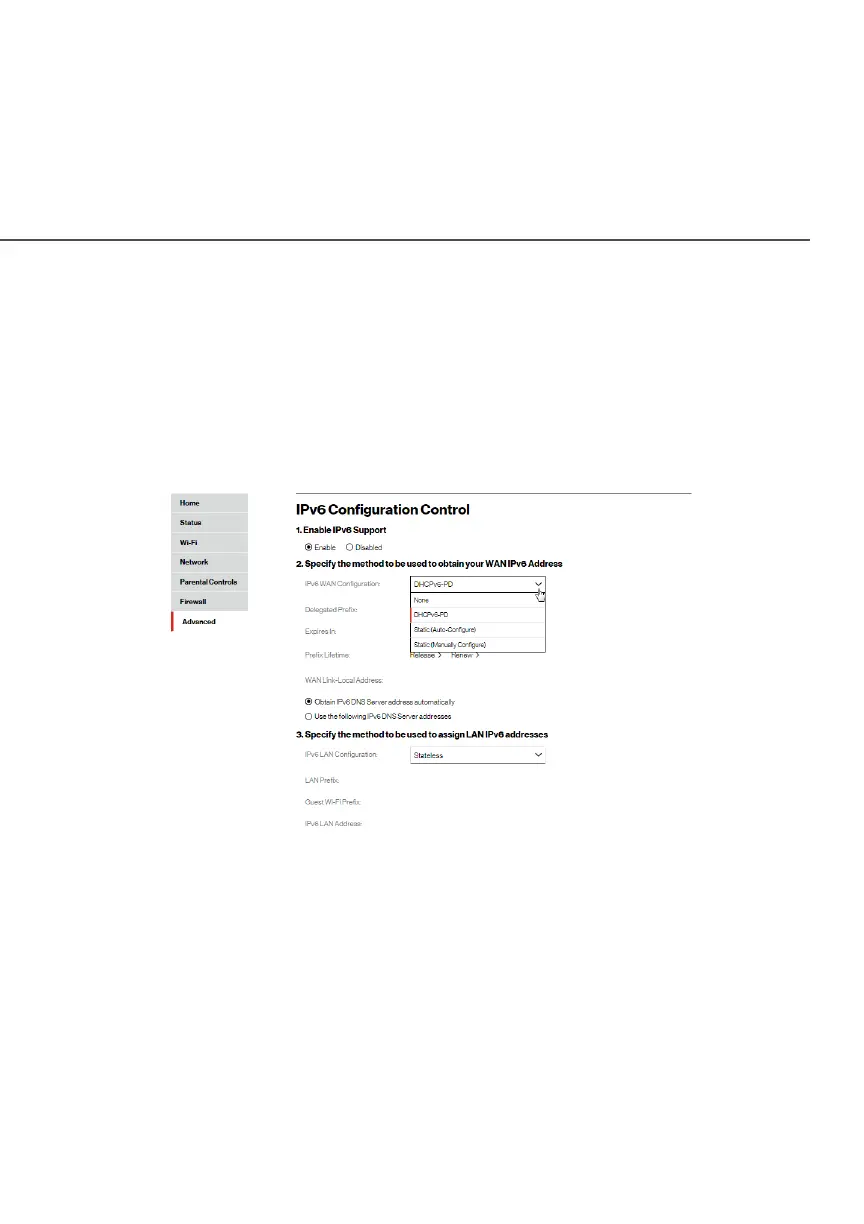
1. To configure your network to use the IPv6 Internet
connection type, select IPv6 from the Advanced page to
display the IPv6 service options:
2. Select EnableEnable in the Enable IPv6 SupportEnable IPv6 Support field. (Once IPv6 is
enabled the default setting will be IPv6 WAN as DHCPv6 and
IPv6 LAN as Stateless).
3. Select the appropriate IPv6 connection method from the
dropdown list (DHCPv6 or Static) to specify the method to
be used to obtain your WAN IPv6 Address.
4. Click ApplyApply to have changes take eect.
Note: The Internet IPv6 service is required for this feature to
work over the internet.




















 To Next Page