Getting Started
Scope of Delivery
You will find the following items inside the box:
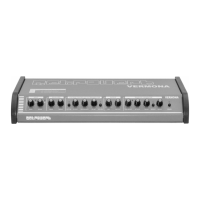
• The MEX3 module
• A five-pin JST cable. One end is already connected to MEX3.
• Two MIDI cables DIN-3,5-mm-jack (type A)
Preparation
Your meloDICER requires firmware version R41 or newer to work with MEX3. If your meloDICER has the serial
number D 33639 or greater, this is already given. If not, please browse to https://downloads.vermona.com/
firmware/melodicer and download the latest firmware. Use the file that fits to your computer’s operating system
(macOS or Windows) and follow the instructions in the README-file.
Connecting MEX3 and meloDICER
1. Switch off your modular system and remove meloDICER. You will have to access the module’s rear.
2. Connect the five-pin JST cable that comes with your MEX3 to the white connector on the rear of MEX3. It will
only fit in the correct position.
3. Connect the other end of the five-pin JST cable to the white connector on the rear of meloDICER.
4.
Install meloDICER and MEX3 into your modular system.
5. Switch on your modular system.
Congratulations! Your meloDICER’s firmware is up-to-date, and you successfully connected MEX3 to it. You can
now proceed to have fun with MIDI.
27



 To Next Page