6
Chapter 2
Installation
This Chapter covers the physical installation of the Wireless Access Point.
Requirements
Requirements:
x TCP/IP network
x Ethernet cable with RJ-45 connectors
x Installed Wireless network adapter for each PC that will be wirelessly connected to the
network
Procedure
1. Select a suitable location for the installation of your Wireless Access Point. To maximize
reliability and performance, follow these guidelines:
x Use an elevated location, such as wall mounted or on the top of a cubicle.
x Place the Wireless Access Point near the center of your wireless coverage area.
x If possible, ensure there are no thick walls or metal shielding between the Wireless
Access Point and Wireless stations. Under ideal conditions, the Wireless Access Point
has a range of around 150 meters (450 feet). The range is reduced, and transmission
speed is lower, if there are any obstructions between Wireless devices.
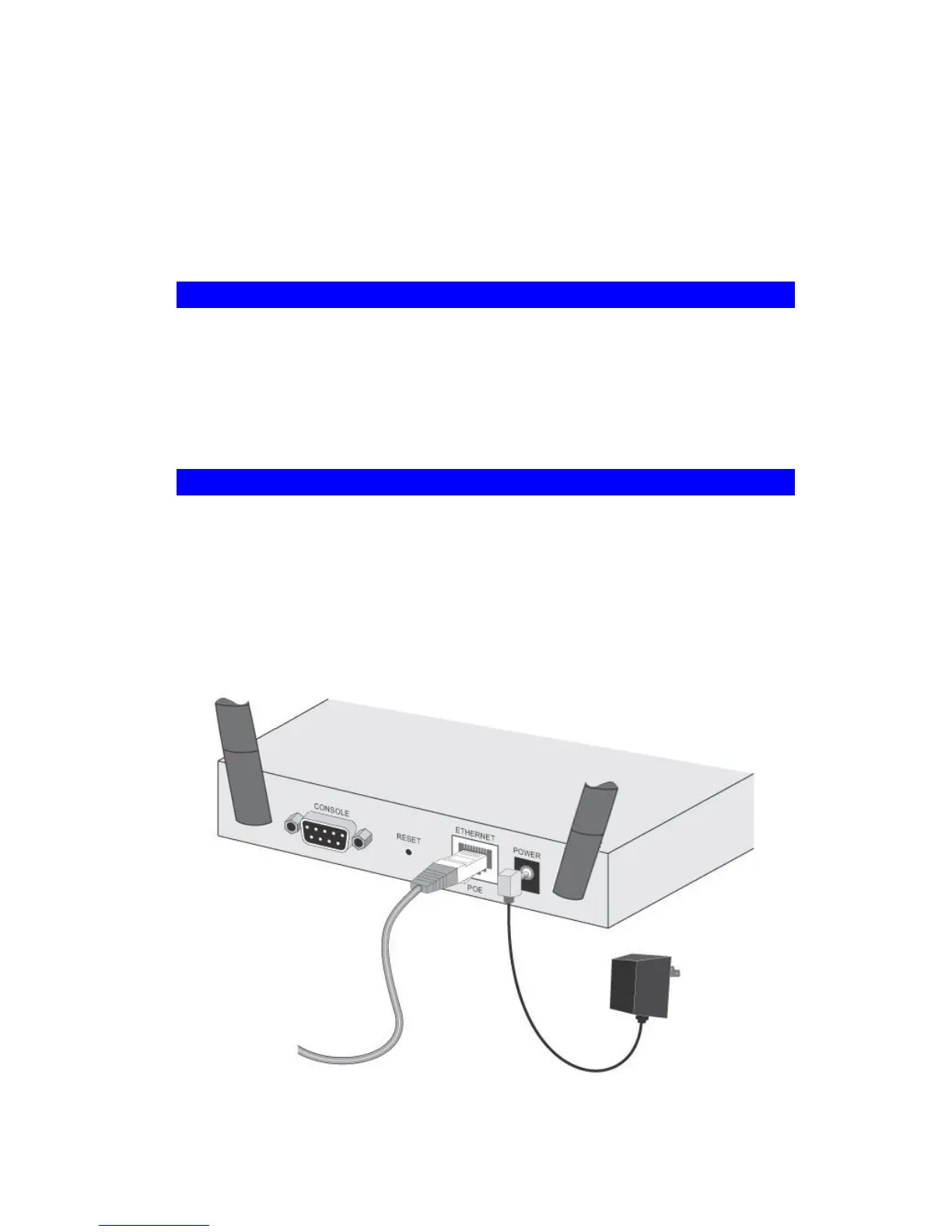
Figure 4: Installation Diagram


 To Next Page