80
Appendix C
Windows TCP/IP
Overview
Normally, no changes need to be made.
x By default, the Wireless Access Point will act as a DHCP client, automatically obtaining a
suitable IP Address (and related information) from your DHCP Server.
x If using Fixed (specified) IP addresses on your LAN (instead of a DHCP Server), there is
no need to change the TCP/IP of each PC. Just configure the Wireless Access Point to
match your existing LAN.
The following sections provide details about checking the TCP/IP settings for various types of
Windows, should that be necessary.
Checking TCP/IP Settings - Windows 9x/ME:
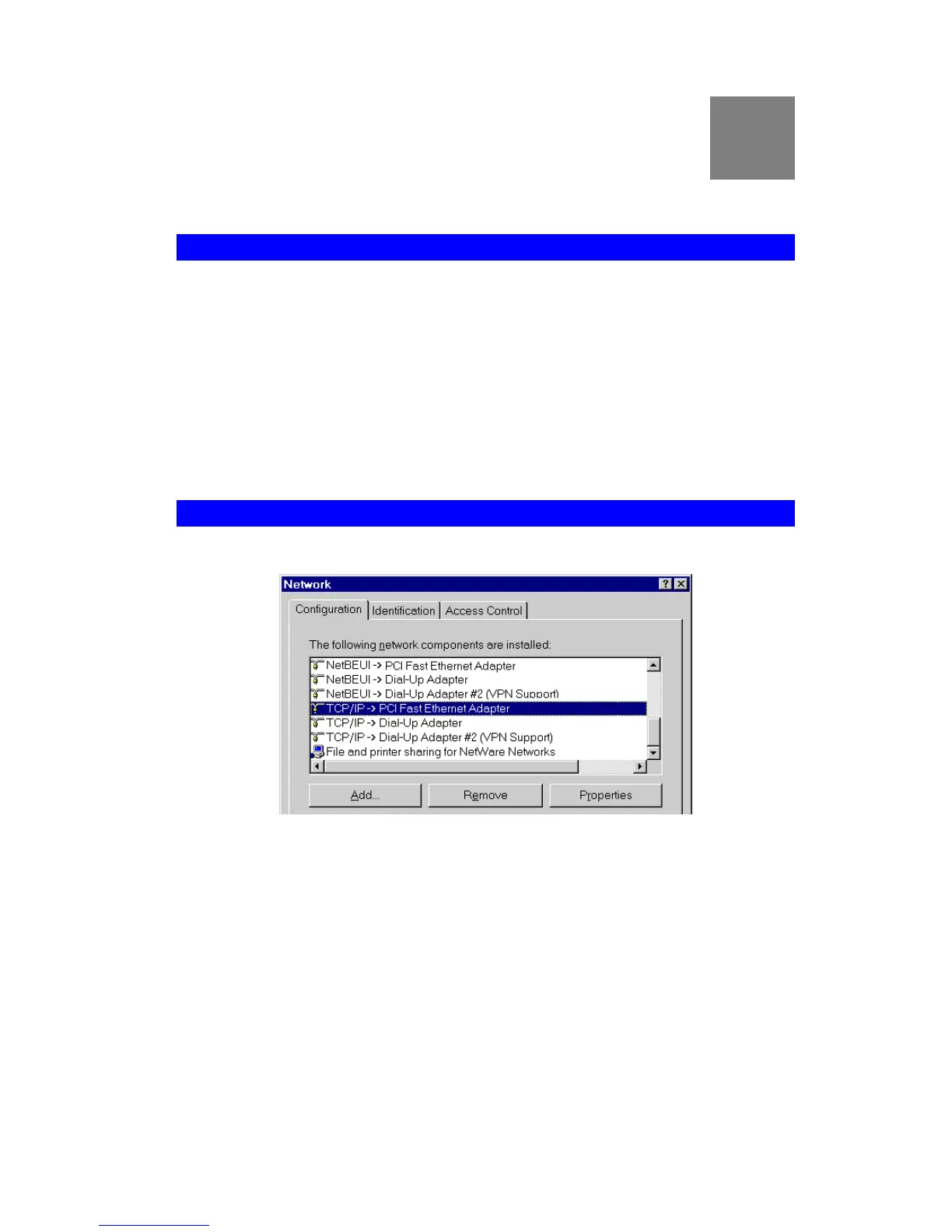
1. Select Control Panel - Network. You should see a screen like the following:
Figure 64: Network Configuration
2. Select the TCP/IP protocol for your network card.
3. Click on the Properties button. You should then see a screen like the following.


 To Next Page