Access Point Management
69
Auto Config
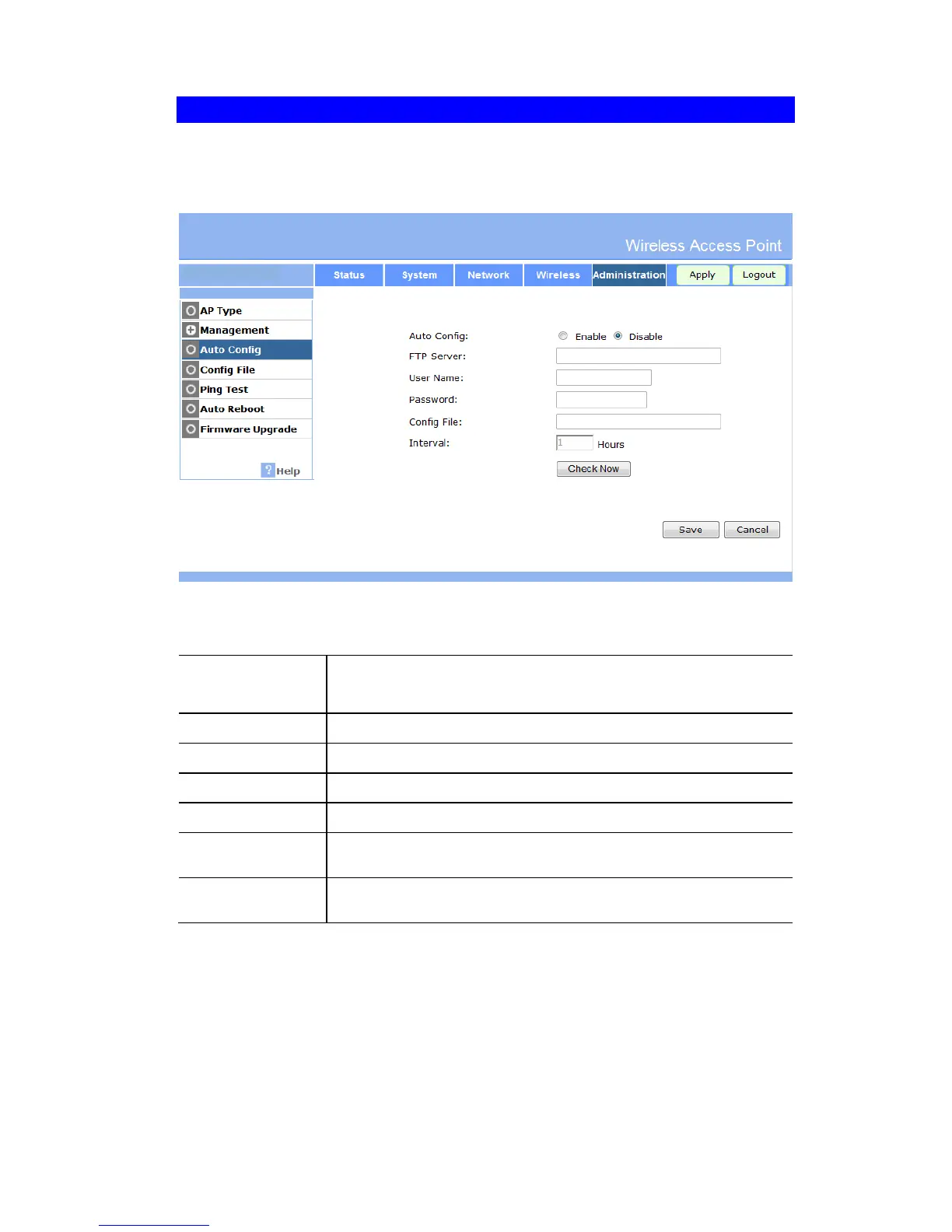
Auto Config is only useful if you have a FTP Server on your LAN. So the device will auto
load the config file from the FTP Server. To reach this screen, select Auto Config in the Ad-
ministration section of the menu.
Figure 58: SNMP Screen
Data – Auto Config Screen
If enable. The device will auto load config file from server.
If disable. The function is invalid.
Input the FTP Server IP address.
Input the user names for login FTP Server.
Input the password for login FTP Server.
Input the config file path on the FTP Server.
The device will as the interval time to check new config file on FTP
Server. If find new config file will auto load it. The unit is hours.
Press the button. The device will check new config file on FTP
Server immediately.


 To Next Page