EasyManua.ls Logo

versa VX-AP310N - Physical Details

versa VX-AP310N
103 pages
Print Icon
To Next Page IconTo Next Page
To Previous Page IconTo Previous Page
Loading...
Wireless Access Point User Guide
4
Physical Details
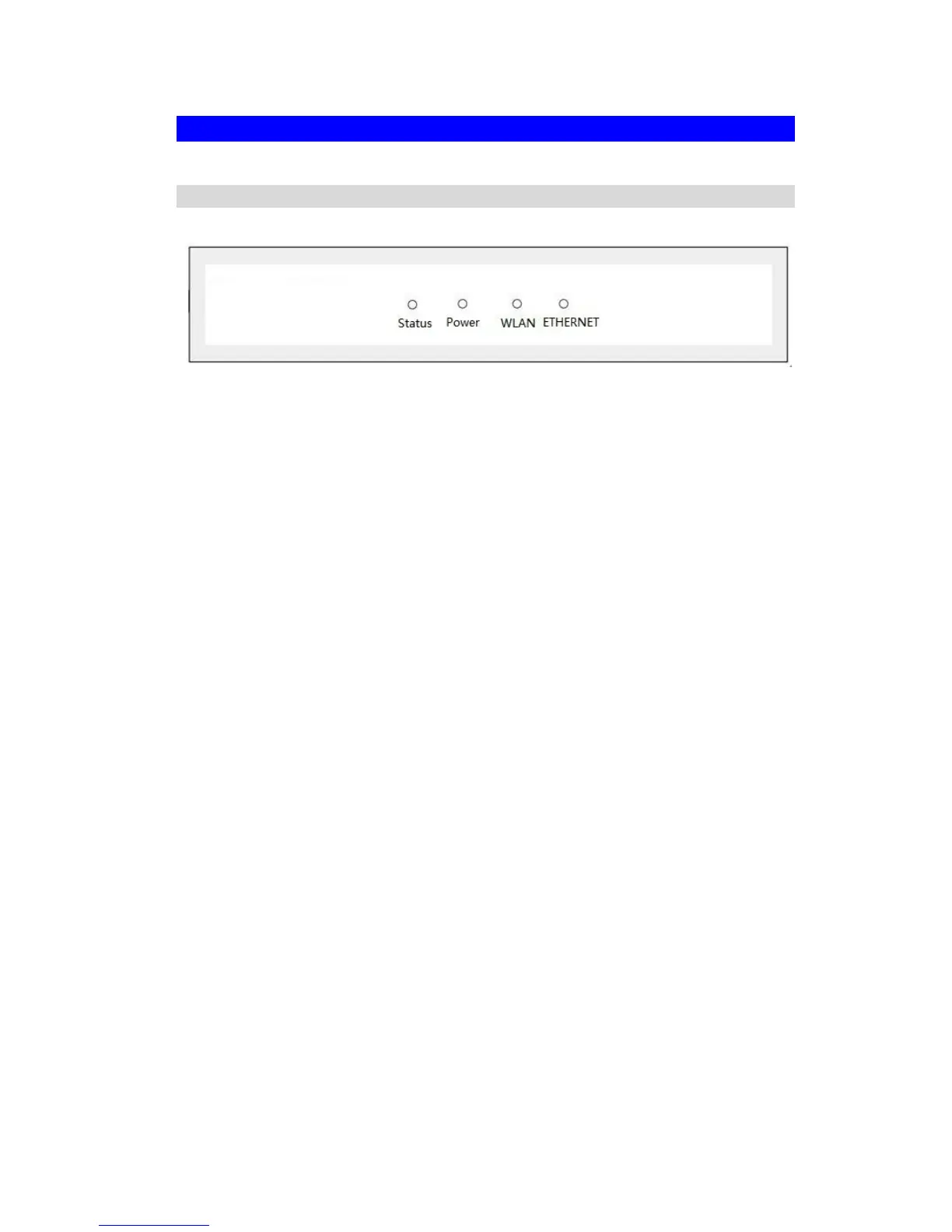
Front Panel LEDs
Figure 2: Front Panel
Power
On - Normal operation.
Off - No power
WLAN
On - Idle
Off - Wireless connection is not available.
Flashing - Data is being transmitted or received via the Wireless access
point. Data includes "network traffic" as well as user data.
Status
On - Error condition.
Off - Normal operation.
Blinking - During start up, and when the Firmware is being upgraded.
Ethernet
On - The LAN (Ethernet) port is active.
Off - No active connection on the LAN (Ethernet) port.
Flashing - Data is being transmitted or received via the corresponding
LAN (Ethernet) port.

Table of Contents