Wireless Access Point User Guide
14
Wireless Screens
There are 6 configuration screens available:
x Basic
x Virtual APs
x Radius Server Settings
x Access Control
x Advanced Settings
x WIFI Protected Setup
Basic Screen
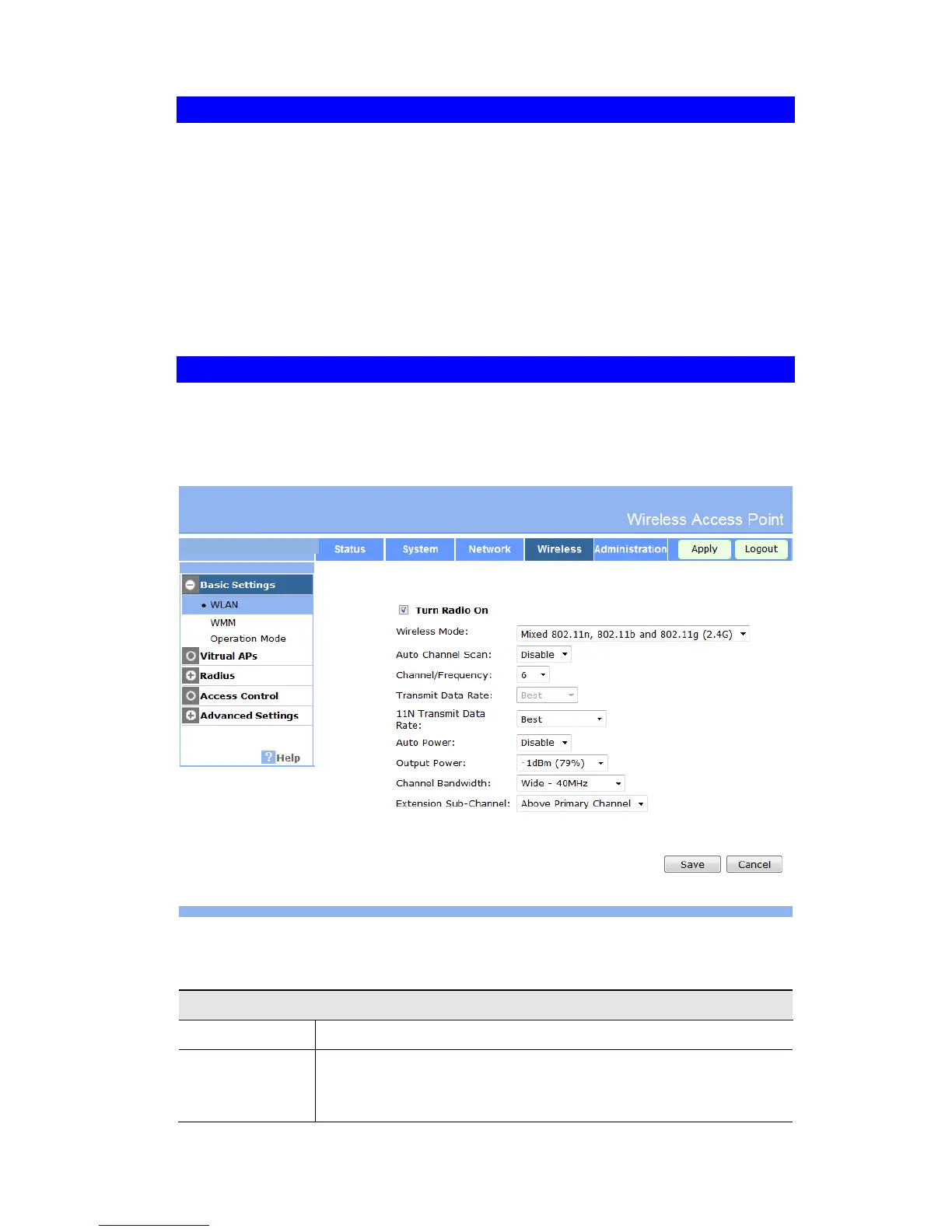
The settings on this screen must match the settings used by Wireless Stations.
Click Basic Settings on the Wireless menu to view a screen like the following.
Figure 9:Wireless Basic Screen
Data - Wireless Basic Settings Screen
Select the desired option:
x Disable - select this if for some reason you do not this AP to
transmit or receive at all.


 To Next Page