Wireless Access Point User Guide
84
Checking TCP/IP Settings - Windows 2000
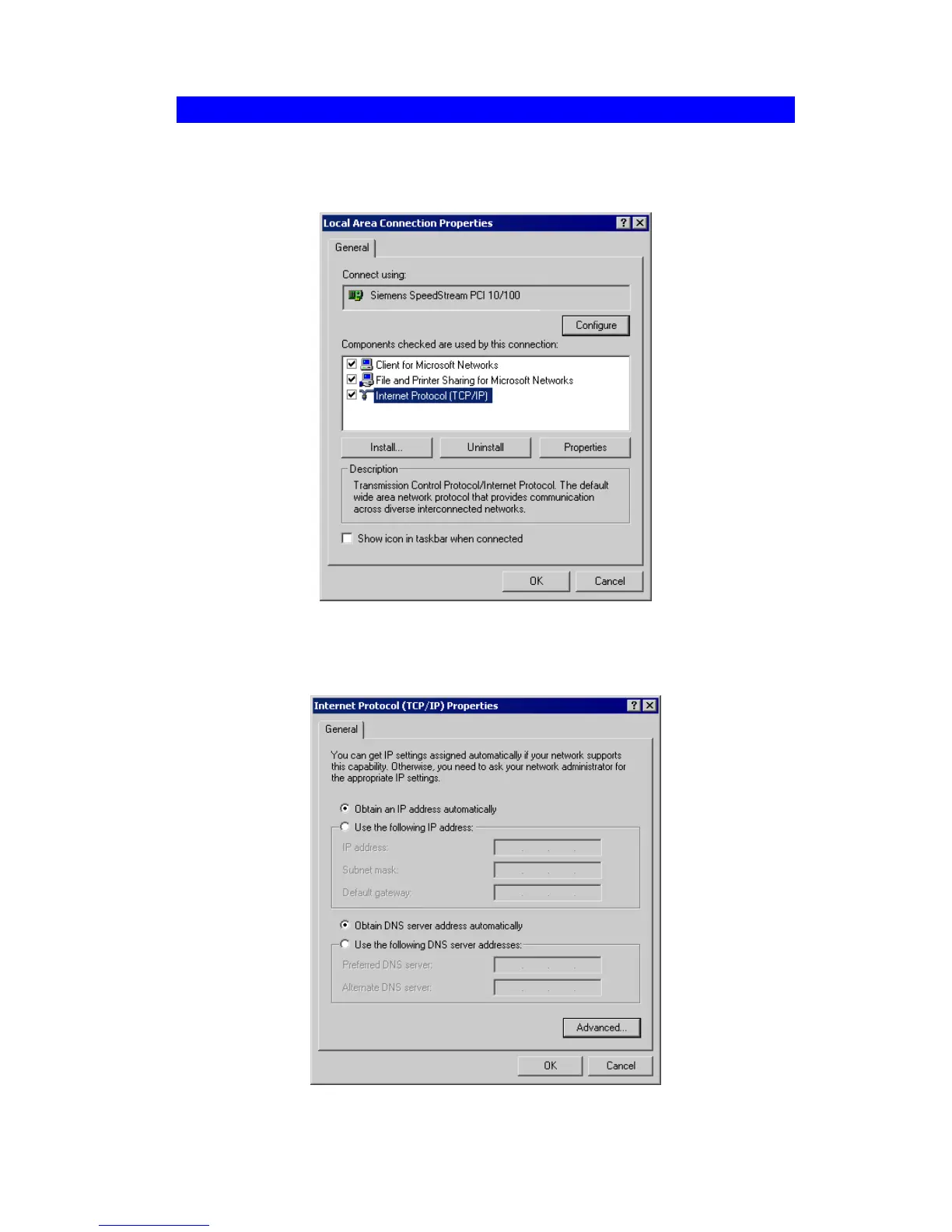
1. Select Control Panel - Network and Dial-up Connection.
2. Right click the Local Area Connection icon and select Properties. You should see a screen
like the following:
Figure 68: Network Configuration (Win 2000)
3. Select the TCP/IP protocol for your network card.
4. Click on the Properties button. You should then see a screen like the following.
Figure 69: TCP/IP Properties (Win 2000)


 To Next Page