Wireless Access Point User Guide
18
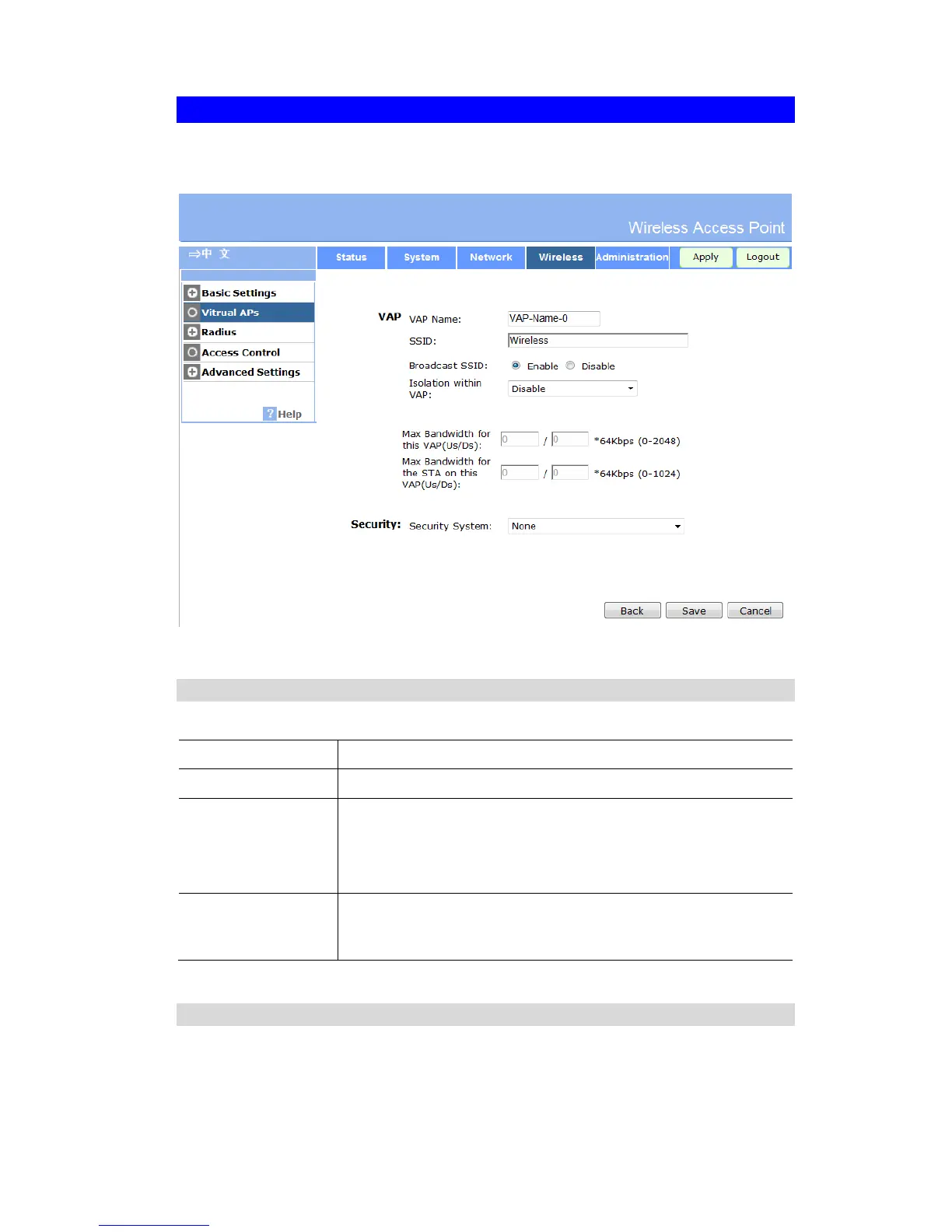
Virtual AP Screen
This screen is displayed when you select a VAP on the Virtual AP Settings screen, and click
the Configure button.
Figure 11: Virtual AP Screen
VAP Data
Enter the desired settings for each of the following:
Enter a suitable name for this VAP.
Enter the desired SSID. Each VAP must have a unique SSID.
If Disabled, no SSID is broadcast.
If enabled, the SSID will then be broadcast to all Wireless Stations.
Stations which have no SSID (or a "null" value) can then adopt the
correct SSID for connections to this Access Point.
If enabled, then each Wireless station using the Access Point is
invisible to other Wireless stations. In most business stations, this
setting should be Disabled.
Security Settings
Select the desired option, and then enter the settings for the selected method.
The available options are:
x None - No security is used. Anyone using the correct SSID can connect to your network.


 To Next Page