Wireless Access Point User Guide
24
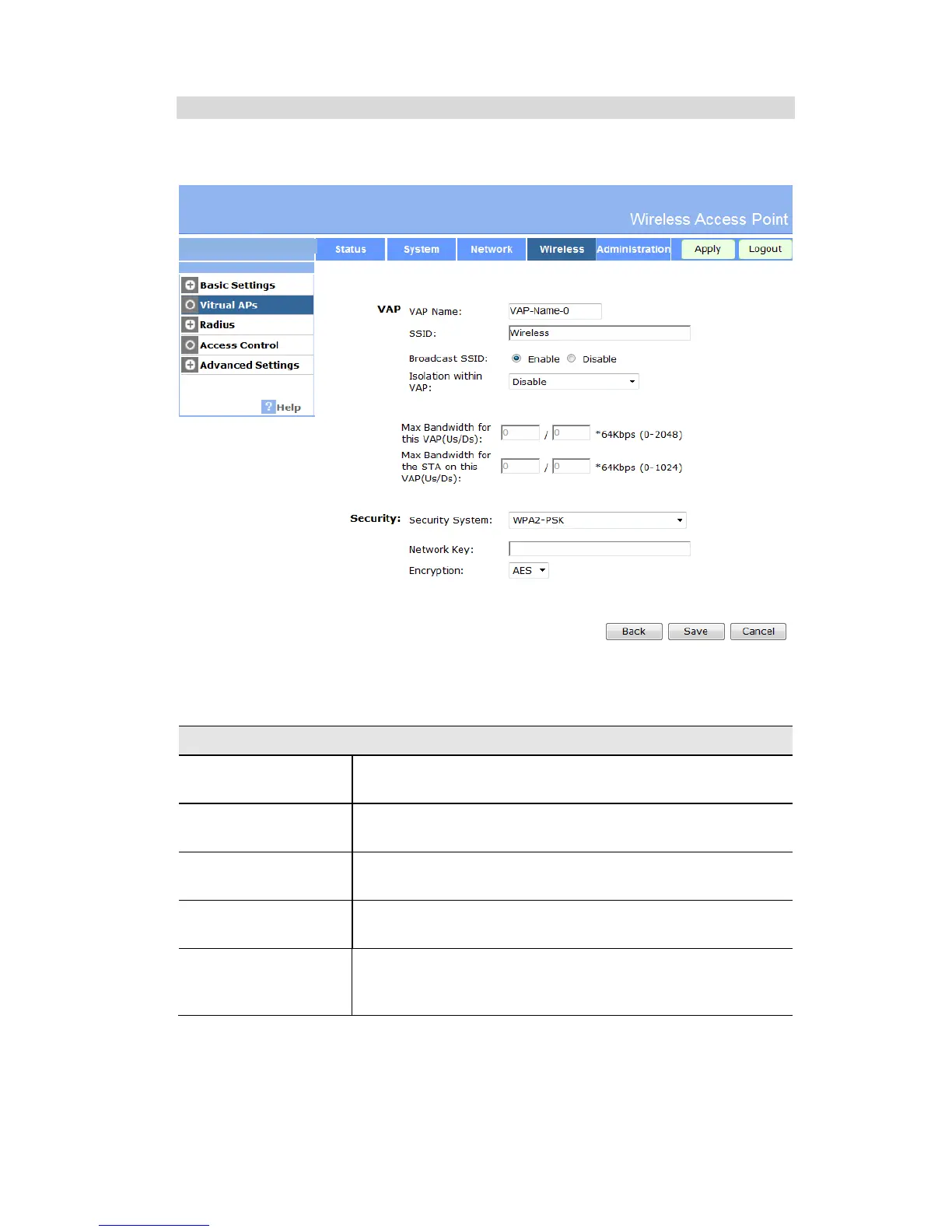
Security Settings - WPA2-PSK
This is a further development of WPA-PSK, and offers even greater security, using the AES
(Advanced Encryption Standard) method of encryption.
Figure 15: WPA2-PSK Wireless Security Screen
Data - WPA2-PSK Screen
Enter the key value. Data is encrypted using a 256Bit key derived
from this key. Other Wireless Stations must use the same key.
The encryption method is AES. Wireless Stations must also use
AES.
This refers to the key used for broadcast transmissions. Enable
this if you want the keys to be updated regularly.
This field determines how often the Group key is dynamically
updated. Enter the desired value.
Update Group key
when any membership
terminates
If enabled, the Group key will be updated whenever any member
leaves the group or disassociates from the Access Point.


 To Next Page