Wireless Access Point User Guide
46
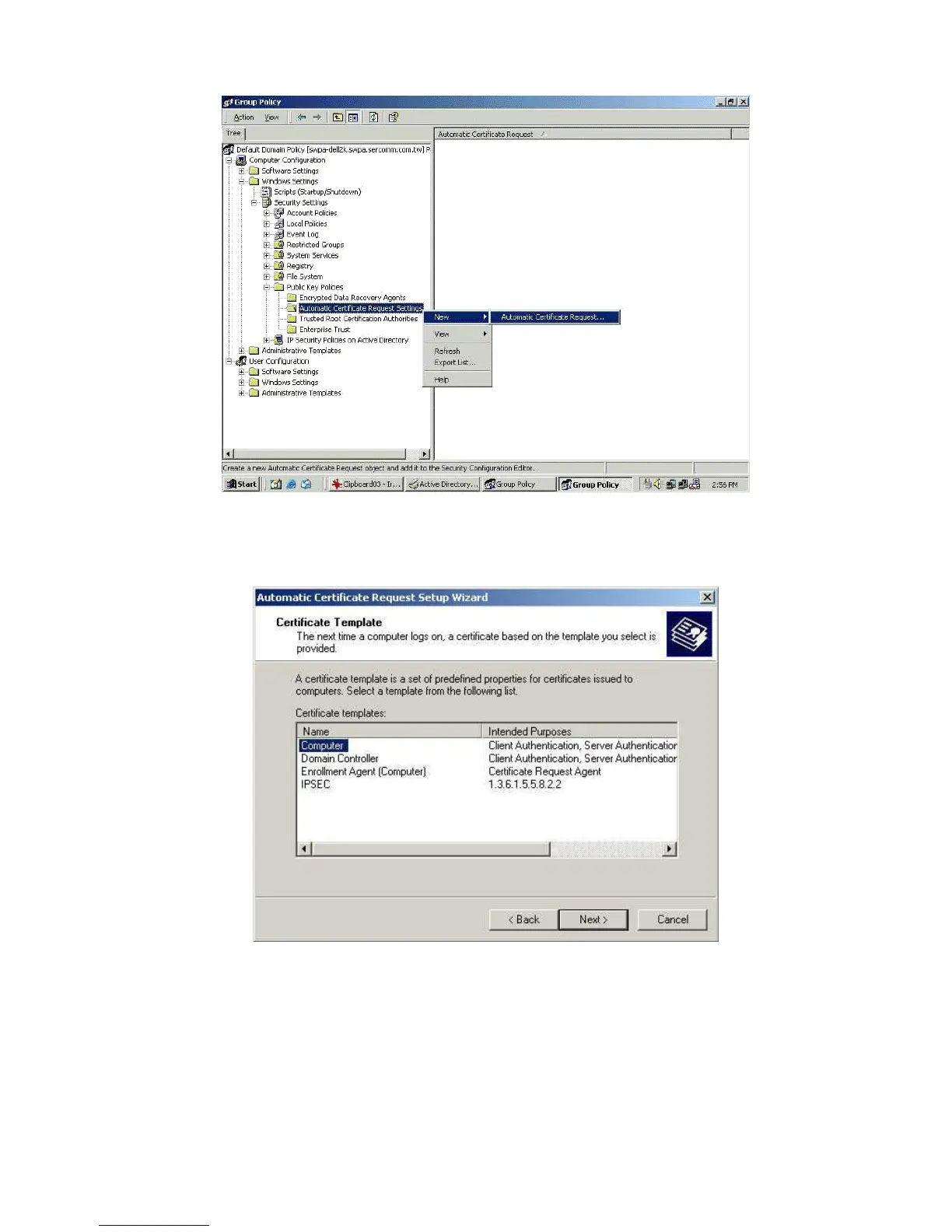
Figure 35: Group Policy Screen
8. When the Certificate Request Wizard appears, click Next.
9. Select Computer, then click Next.
Figure 36: Certificate Template Screen
10. Ensure that your certificate authority is checked, then click Next.
11. Review the policy change information and click Finish.
12. Click Start - Run, type cmd and press enter.
Enter secedit /refreshpolicy machine_policy
This command may take a few minutes to take effect.


 To Next Page