Wireless Access Point User Guide
52
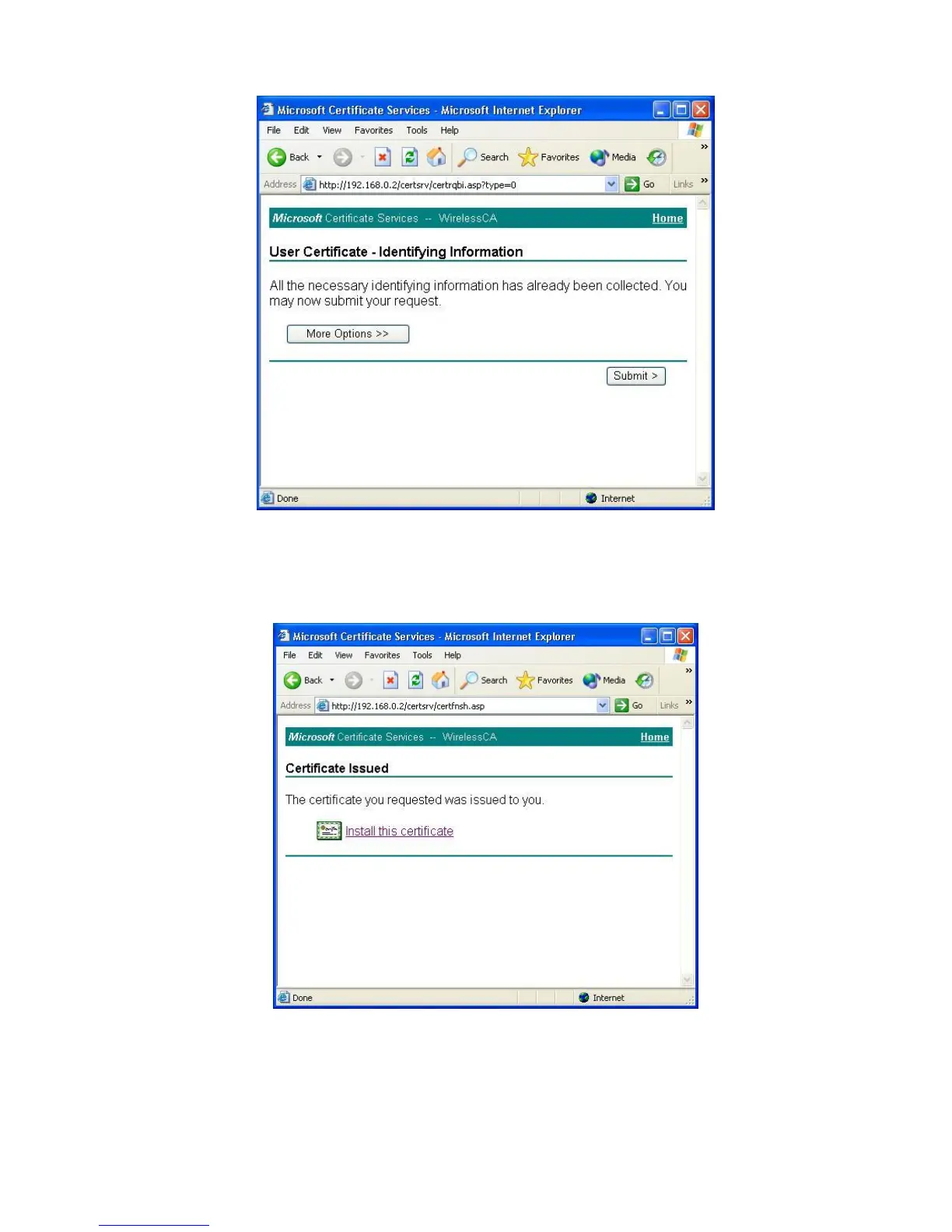
Figure 44: Identifying Information Screen
7. A message will be displayed, then the certificate will be returned to you.
Click Install this certificate.
Figure 45:Certificate Issued Screen
8. . You will receive a confirmation message. Click Yes.


 To Next Page