Wireless Access Point User Guide
54
x Your network administrator can advise you of the correct settings for each network.
802.1x networks typically use EAP-TLS. This is a dynamic key system, so there is no
need to enter key values.
Enabling Encryption
To enable encryption for a wireless network, follow this procedure:
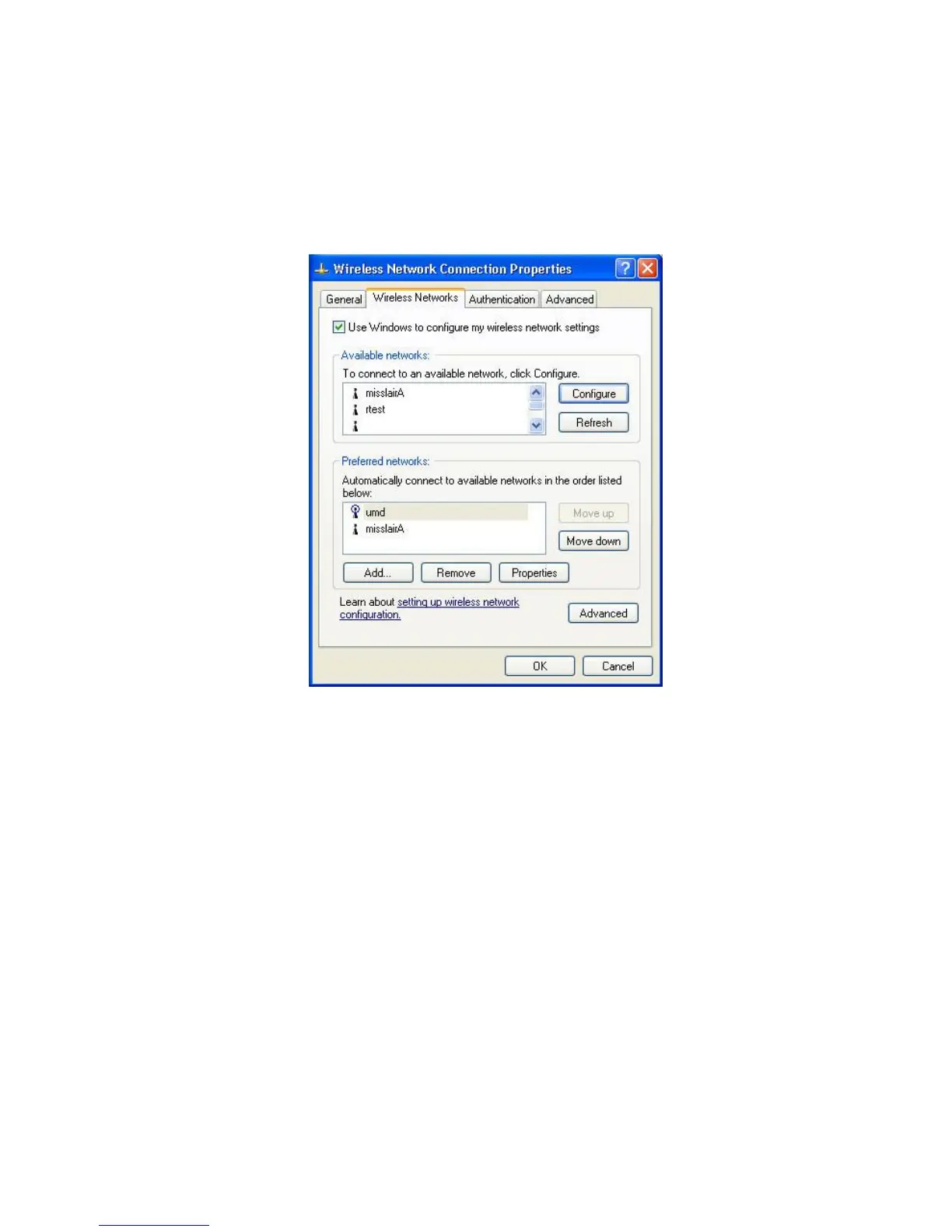
1. Click on the Wireless Networks tab.
Figure 48: Wireless Networks Screen
2. Select the wireless network from the Available Networks list, and click Configure.
3. Select and enter the correct values, as advised by your Network Administrator.
For example, to use EAP-TLS, you would enable Data encryption, and click the checkbox
for the setting The key is provided for me automatically, as shown below.


 To Next Page