Vertiv | Liebert LVC | User Manual 26
Application of Fan Speed Controller
4.2.2. Main Menu Interface
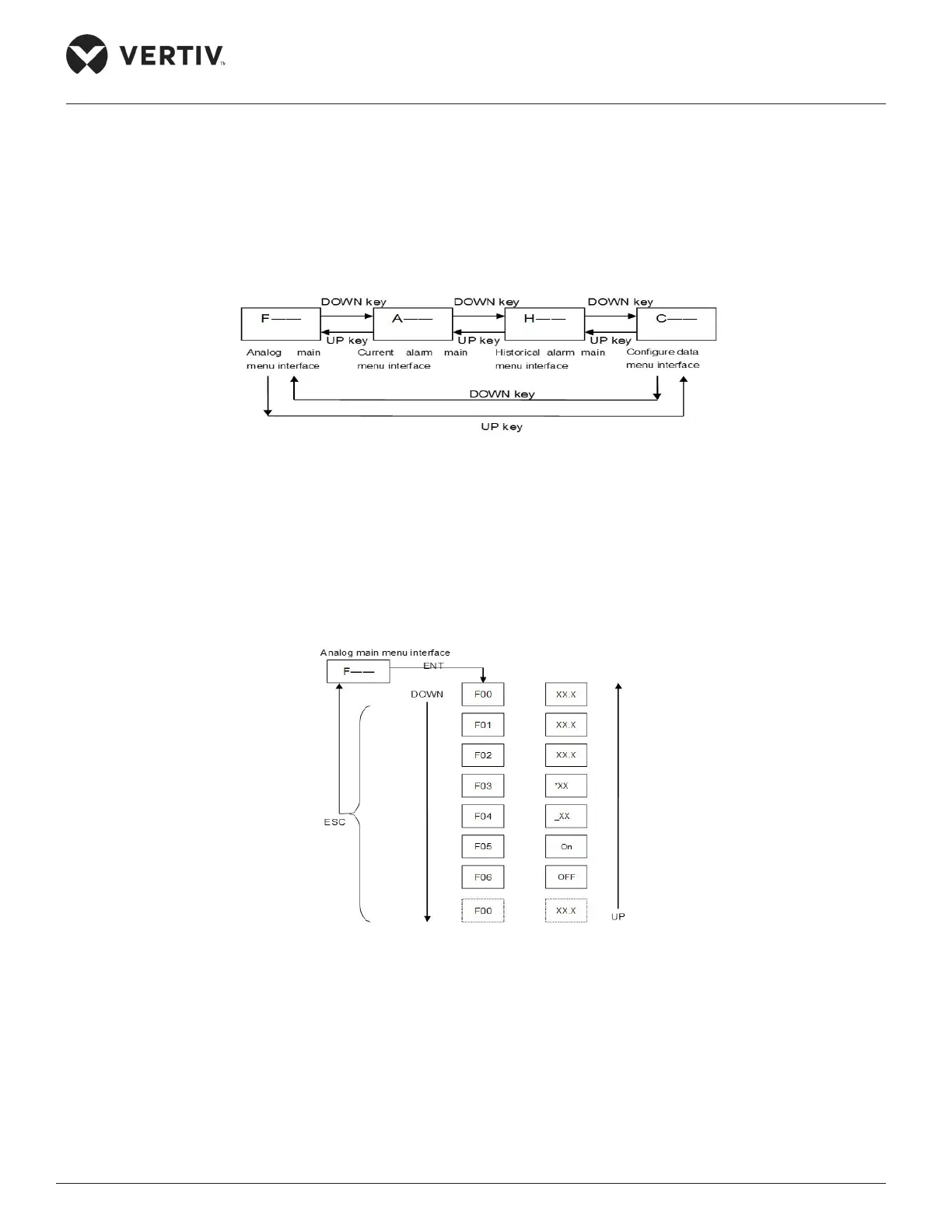
Press the ESC key on the initial interface, and the Main Menu Interface will appear on the LCD. It includes the
Analog main menu interface, Current alarm main menu interface, Historical alarm main menu interface and
Conguration main menu interface. To select scroll through the dierent main menu interface options press
the UP key and DOWN key and to enter the submenu of the current main menu on the main interface press
the ENT key. The switching operation processes and orders of the main menus are shown in Figure 4-3.
Figure 4-3 Switching Operation Processes and Orders of the Main Menus
4.2.3. Analog Main Menu Interface
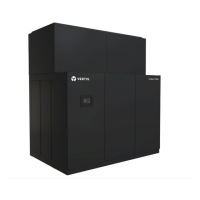
Press the ENT key to enter the Analog submenu interface when the current main menu interface shows
‘F__ ’ (the symbol of Analog main menu). The switching operation processes and orders of the Analog
submenu are shown in Figure 4-4.
Figure 4-4 Switching Operation Processes and Orders of the Analog Submenu
4.2.4. Current Alarm Main Menu Interface
Press the ENT key to enter in the current alarm submenu interface, when the current main menu interface
shows ‘A__’ (the symbol of current alarm main menu). The switching operation process and order of the
current alarm submenu are shown in Figure 4-5, and the Current alarm main menu ID signicances are
shown in Table 4-2.


 To Next Page