NetSure
™
Control Unit (NCU)
User Manual, UM1M830BNA
Spec. No: 1M830BNA, 1M830DNA Code: UM1M830BNA
Model No: M830B, M830D Revision M, May 12, 2017
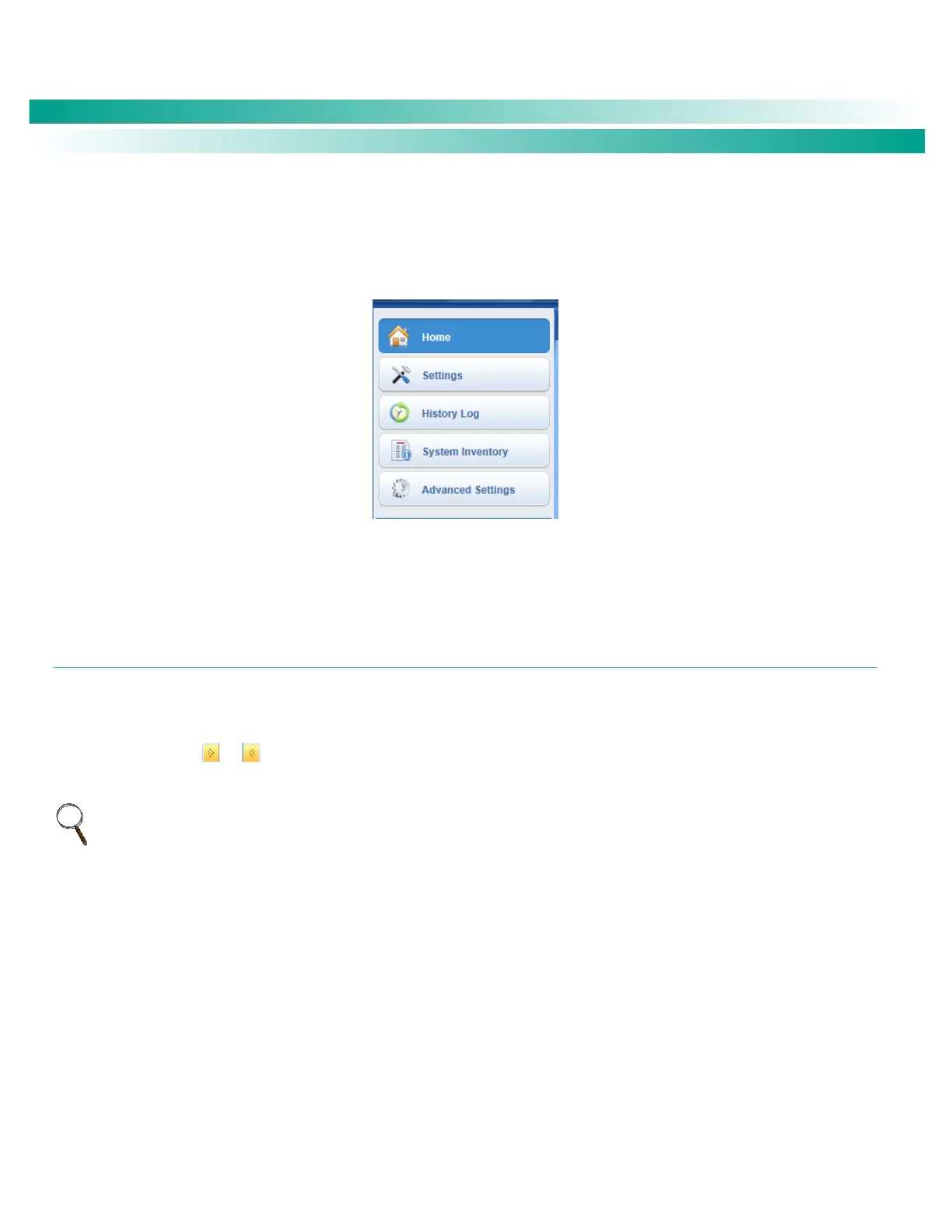
Menu Navigation Area
Available menus are displayed in this area. When a menu is clicked on, the system status screen is replaced with the selected menu’s
screen. Note that there is a menu item named HOME to return to the system status screen.
Figure 56. Menu Navigation Area
SETTINGS MENU
The Settings Menu allows you to change (if you have the proper privilege level programmed in your User settings) the settings of the
various programmable parameters. Settings are grouped per function. Select a tab in the Settings Menu to change that function’s
programmable parameters.
An orange “arrow” icon or indicates there are additional tabs. Click the orange "arrow" icon to view the additional tabs.
NOTE: Some parameters are not available for NCU configurations that enable NCU capability to receive status information sent from
FIAMM SoNick (Sodium Nickel) batteries.










 To Next Page