NetSure
™
Control Unit (NCU)
User Manual, UM1M830BNA
Spec. No: 1M830BNA, 1M830DNA Code: UM1M830BNA
Model No: M830B, M830D Revision M, May 12, 2017
HISTORY LOG MENU
The History Log Menu allows you to view and save the various logs available in the NCU.
Alarm History Log Tab
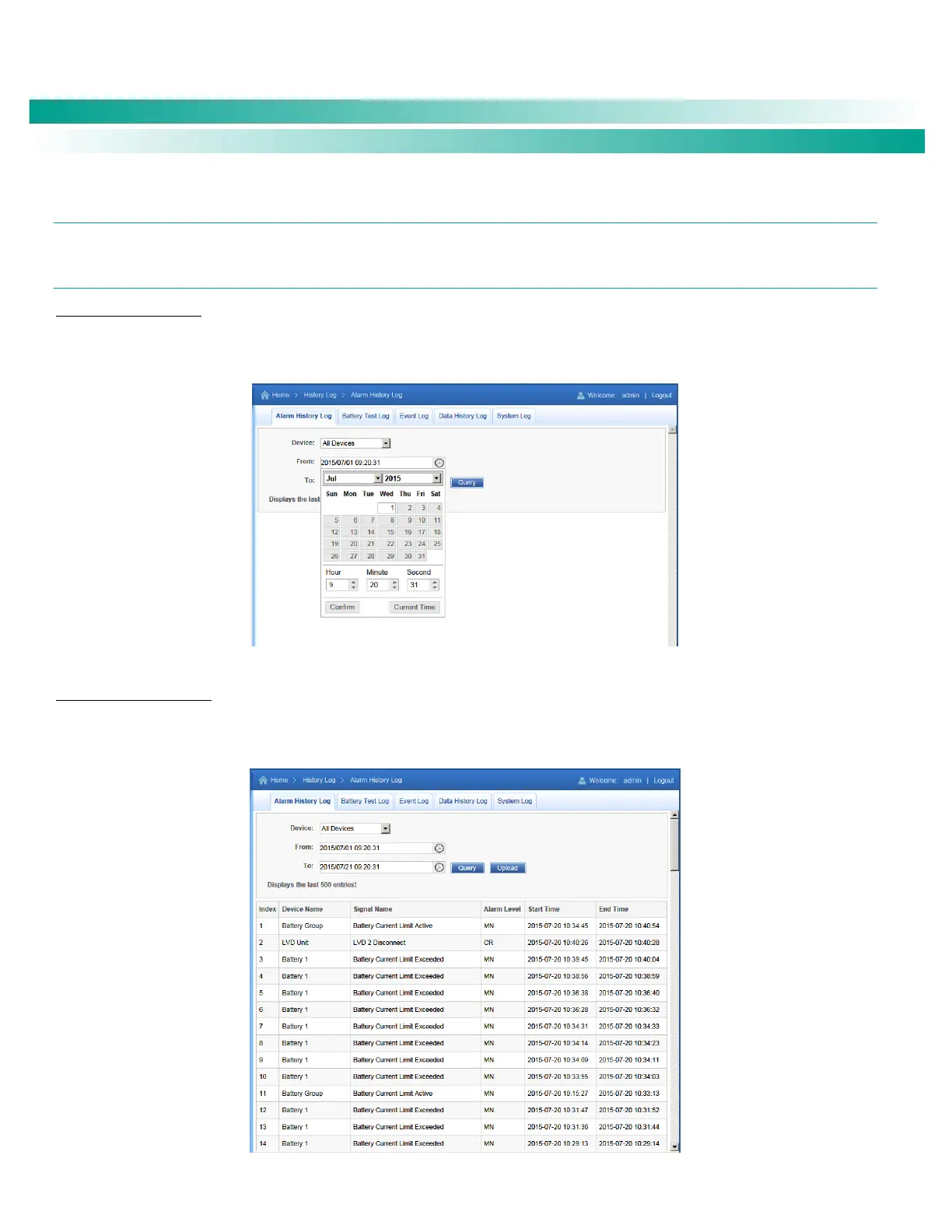
Select Device and Time
Select the "Device" to query from the drop-down list box. Select the "from" and "to" time.
Figure 59. Alarm History Log Device and Time Selection
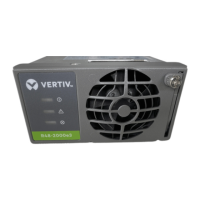
Query Alarm History Log
Click “Query” to query for alarms within selected time slot. The Web page displays the last 500 entries.
Figure 60. Alarm History Log Query










 To Next Page