Chapter 3 Web Interface of RDU501
RDU501 Intelligent Monitoring Unit User Manual
Note
The mobile terminal APP is allowed to connect to the RDU 501 only when the web access method adopts HTTPS.
2.
Web Access Security Strategy: Select whether to enable the web access security strategy. The default is enabled.
The Web access security Strategy consists of four parts: account lockout strategy, login verification code, password
complexity strategy, and password expiration strategy.
1)
Account lockout strategy:
After the same valid user fails to log in five times in succession, he cannot enter the password to log in. He can
continue to log in only after the specified time has elapsed. The admin account will not be locked.
The administrator can reset and unlock the account that is currently locked. For details, see the Unlocking in the
next section of User Management.
The length of the lock time can be configured in the account lock time edit box in Figure 3-139. The default is 5
minutes.
2)
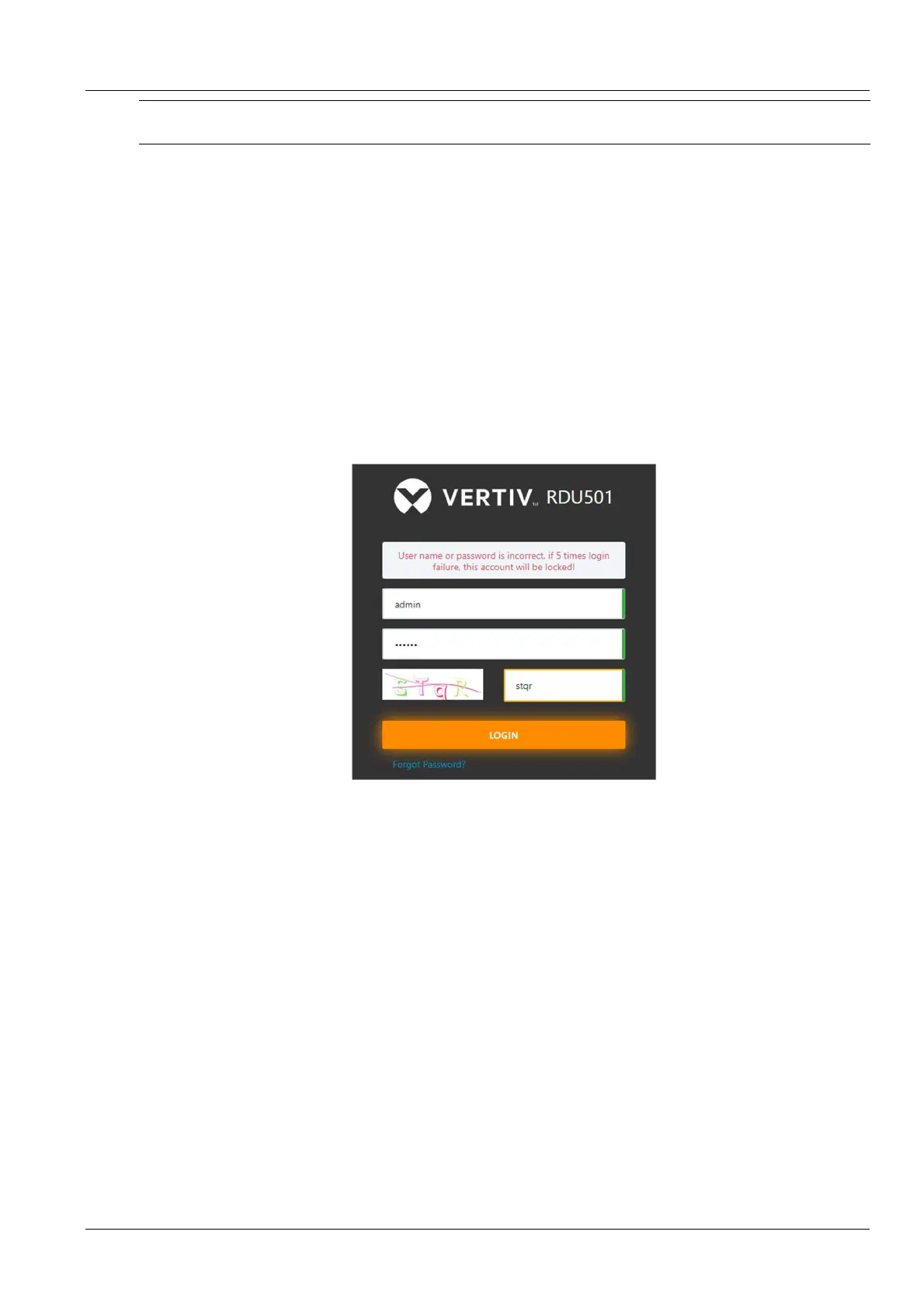
Login verification code:
When the user logs in, once the wrong username or password is entered, the system immediately displays a
verification code, which is required to be entered the next time, as shown in Figure 3-142.
3)
Password complexity:
Figure 3-142 Login requires a verification code
The user password must be at least 6 characters long; the password contains at least two of the following characters:
uppercase English characters (A~Z), lowercase English characters (a~z), numbers (0~9), and non-alphabetic
characters (!, $, #, %, etc.).
4)
Password expiration strategy:
The user account password is valid from the moment it is created or modified and is within the specified time. The
effective time length can be configured in the user password validity period edit box in Figure 3-139. The range is 0
to 999 days, and the default is 90 days. 0 day means the password never expires.
The length of the password valid time applies to all accounts except admin, and the admin account password never
expires.
The administrator can refresh the validity period of an account, and the new validity period starts from the set time
until the effective time is reached. For details, see the refresh validity period in the next section of User
Management.
User Management
Click the User Management submenu under the System Settings menu to open the page shown in Figure 3-143.



 To Next Page