Chapter 3 Web Interface of RDU501
RDU501 Intelligent Monitoring Unit User Manual
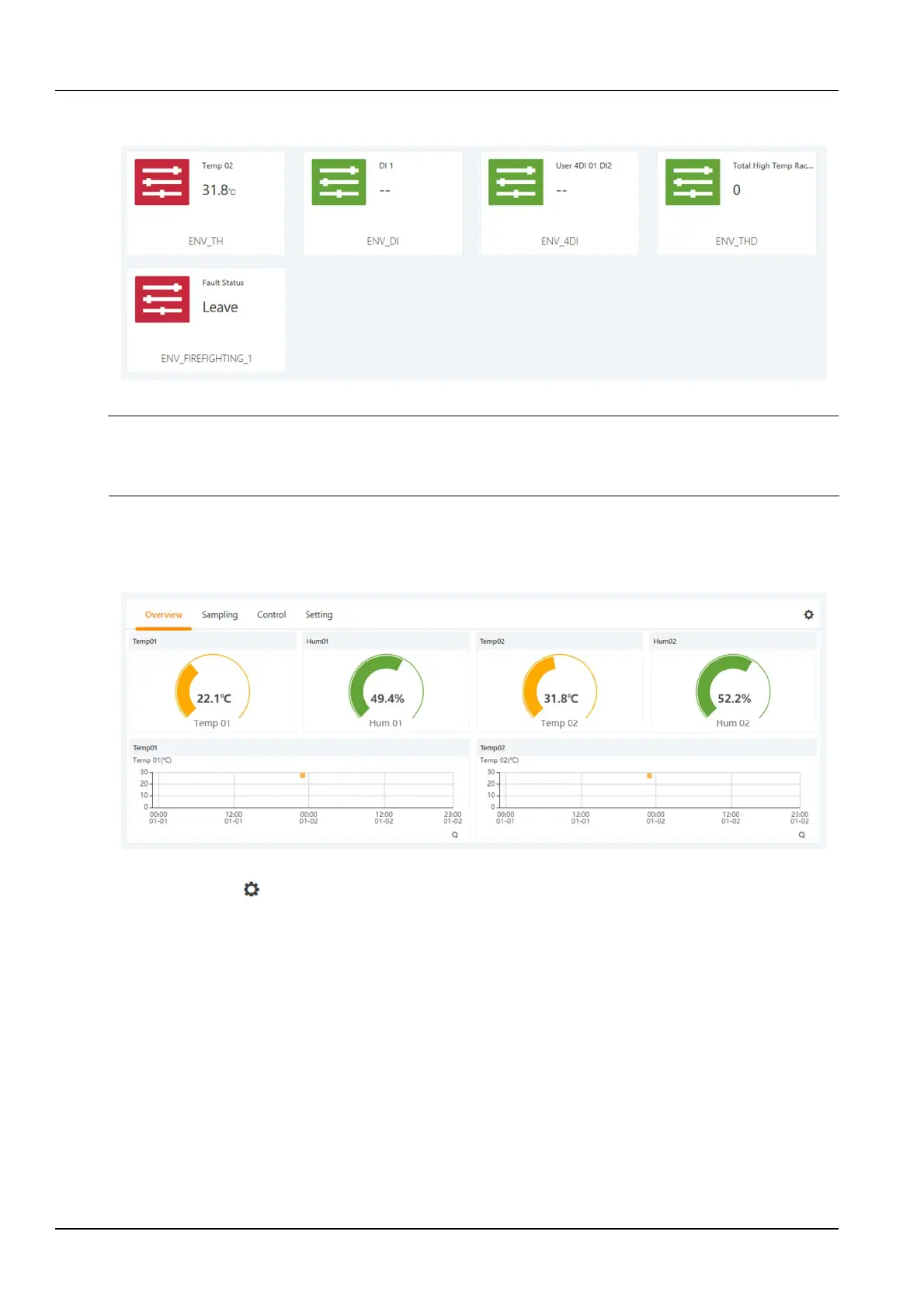
in the form of a card. The icon in the upper left corner of the card displays different colors according to the alarm
status of the device. The right side of the card displays the attention signal, as shown in Figure 3-11.
Figure 3-11 Device (ENV) card list
Note
1.
The ENV-TH device in the Device is a virtual device, indicating all temperature and temperature and humidity sensors
connected to the RDU501 body and the name cannot be changed.
2.
The attention signal can be set on the Device - Acquisition Signal page.
Device overview
Click on the device in the device card list to go to the device details page. Select the Device Overview tab to open
the device overview page, as shown in Figure 3-12.
Figure 3-12 Device Overview
Click the Edit button to enter the edit page, you can customize the overview page, as shown in Figure 3-13.



 To Next Page