Chapter 3 Web Interface of RDU501
RDU501 Intelligent Monitoring Unit User Manual
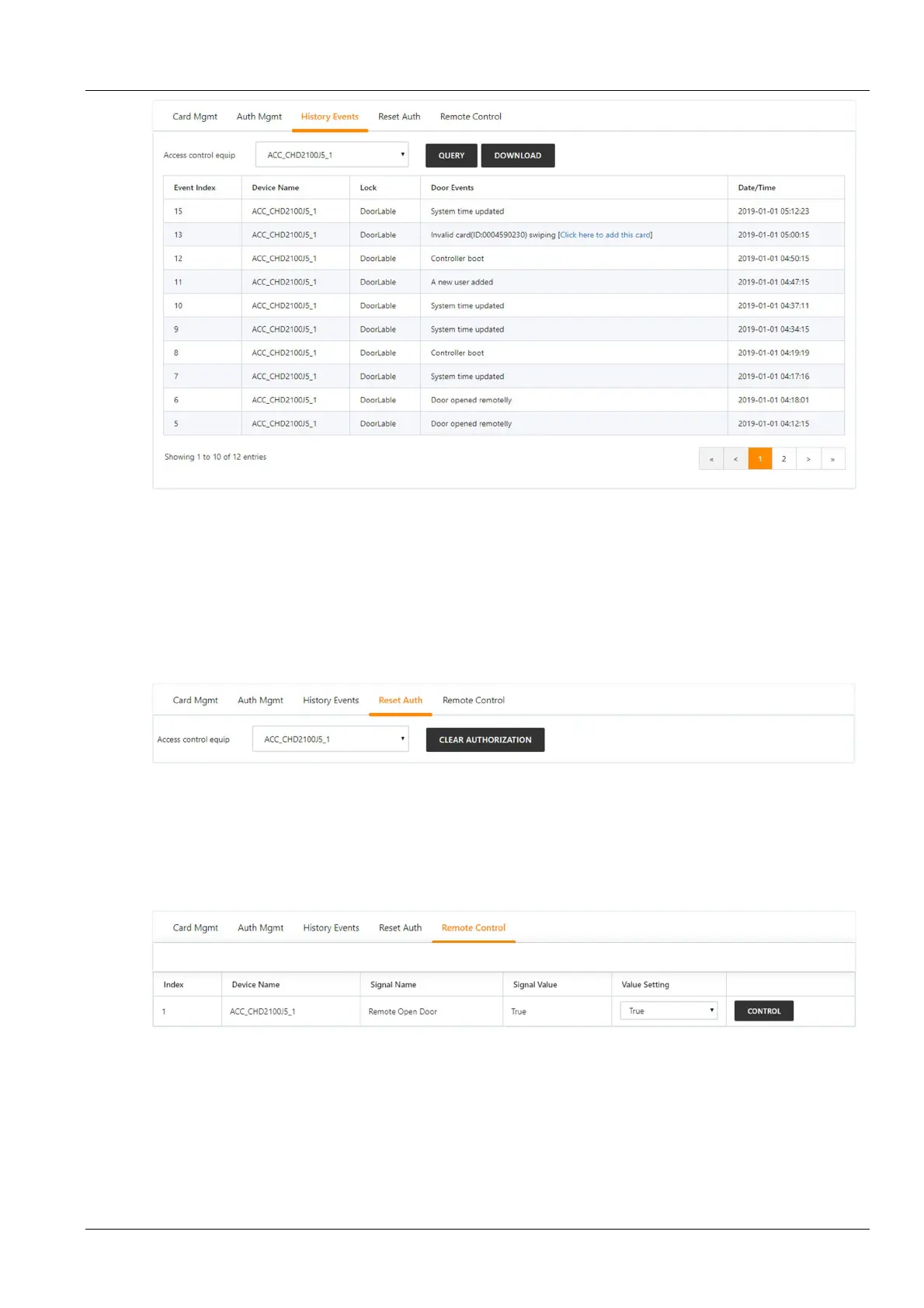
Figure 3-21 Historical query
The user can select the access control device and click the Query button to query the history of the event. Click the
Download button to download.
Clicking on the invalid card swiping event in the history log to add this card, you can jump to the access control card
management tab to add the card.
4.
Reset authority
Click the Authority Reset tab under the Access Control Management menu to display the page shown in Reset
authority.
Figure 3-22 Reset authority
The user can select the Access Control Device and click the Clear Authorization Information button to clear the
authorization information of all the access cards on the access control device.
5.
Remote control
Click the Remote Control tab under the Access Control Management menu to display the page shown in
Remote control.
Figure 3-23 Remote control
The user can perform operations such as "remote opening" on the access control device.
Video management
Click the Video Management submenu under the Security Management menu to display the page shown in
Figure 3-24.



 To Next Page