Chapter 3 Web Interface of RDU501
RDU501 Intelligent Monitoring Unit User Manual
After modifying the device information, you need to click the Save Configuration button to make the configuration
take effect. After clicking Save Configuration, the User Security Verification dialog box pops up, prompting you to
enter the current user's login password. After entering the correct password, click the OK button to complete the save
operation.
Note
1.
The IPMI device specifically refers to an IT device accessed through the IPMI 2.0 protocol, and its accessibility and
communication stability are related to the support capabilities of the IT device itself.
2.
The device IP address is not allowed to be duplicated. When modifying device information, you cannot modify the IP address.
3.
If you have not modified any device information, you cannot click the Save Configuration button.
4.
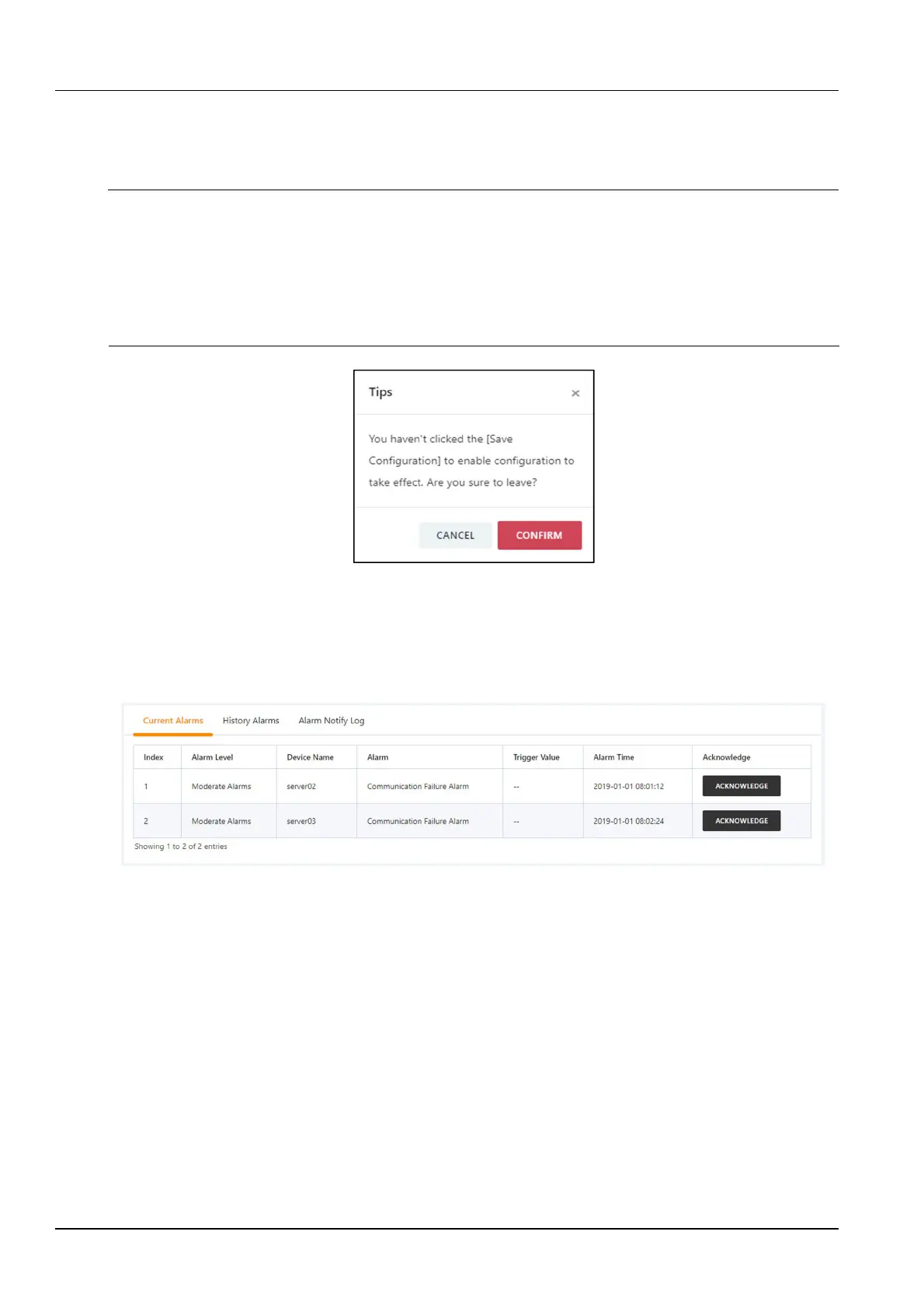
After modifying the device information, if you leave the page without clicking the Save Configuration button, a prompt box
as shown in Figure 3-41 will pop up asking if you want to confirm leaving the page. Clicking the Cancel button will leave the
current page, and clicking the OK button will leave the page and ignore the modification information.
3.
IPMI device alarm
Figure 3-41 Prompt box for not saving configuration
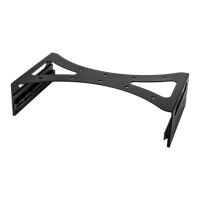
Click the IPMI Device Alarm submenu under the IT Management menu. The IPMI device alarm page contains three
tabs: active alarm, historical alarm, and alarm notification log, as shown in Figure 3-42.
Click the Alarm Confirmation button to confirm the alarm. After the alarm is confirmed, the alarm notification will not
be sent. When the mouse cursor is hovering over the Confirmed text, the alarm confirmation message will be
displayed in a floating manner, and the mouse cursor will disappear automatically after being removed.
Figure 3-42 IPMI active alarm
Click the Historical Alarms tab to display the page shown in Figure 3-43. Select the device name, start time, and
end time. Click the Query button to query the historical alarm of the selected device.


 To Next Page