Chapter 3 Web Interface of RDU501
RDU501 Intelligent Monitoring Unit User Manual
2.
IPMI device management
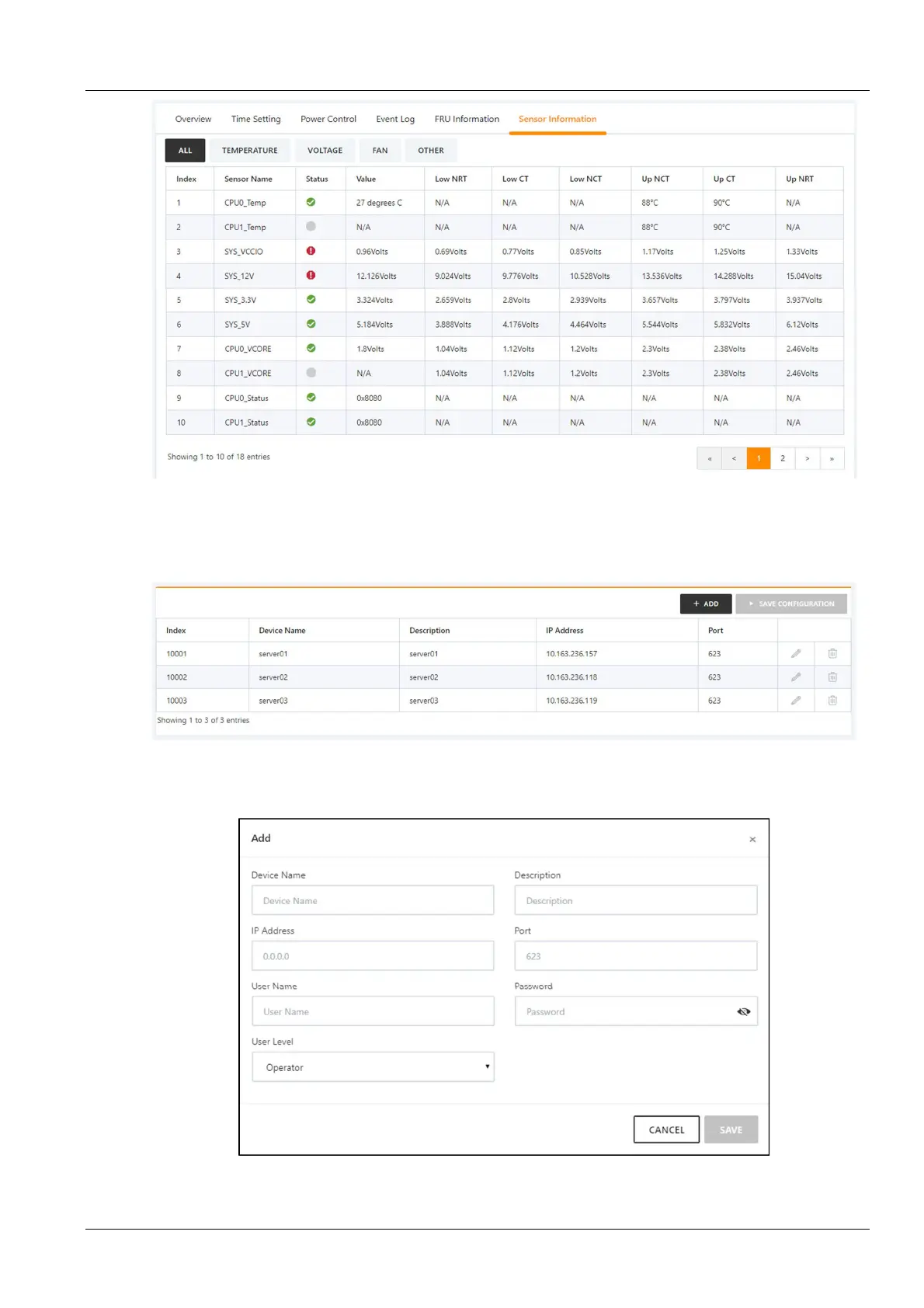
Figure 3-38 Sensor information
Click the IPMI Device Management submenu under the IT Management menu. You can modify or delete the
information of an IPMI device, as shown in Figure 3-39.
Figure 3-39 IPMI device management
Click the Add button to open the page for adding devices. After entering the device information, click the Save
button, as shown in Figure 3-40.
Figure 3-40 Add IPMI device



 To Next Page