Chapter 3 Web Interface of RDU501
RDU501 Intelligent Monitoring Unit User Manual
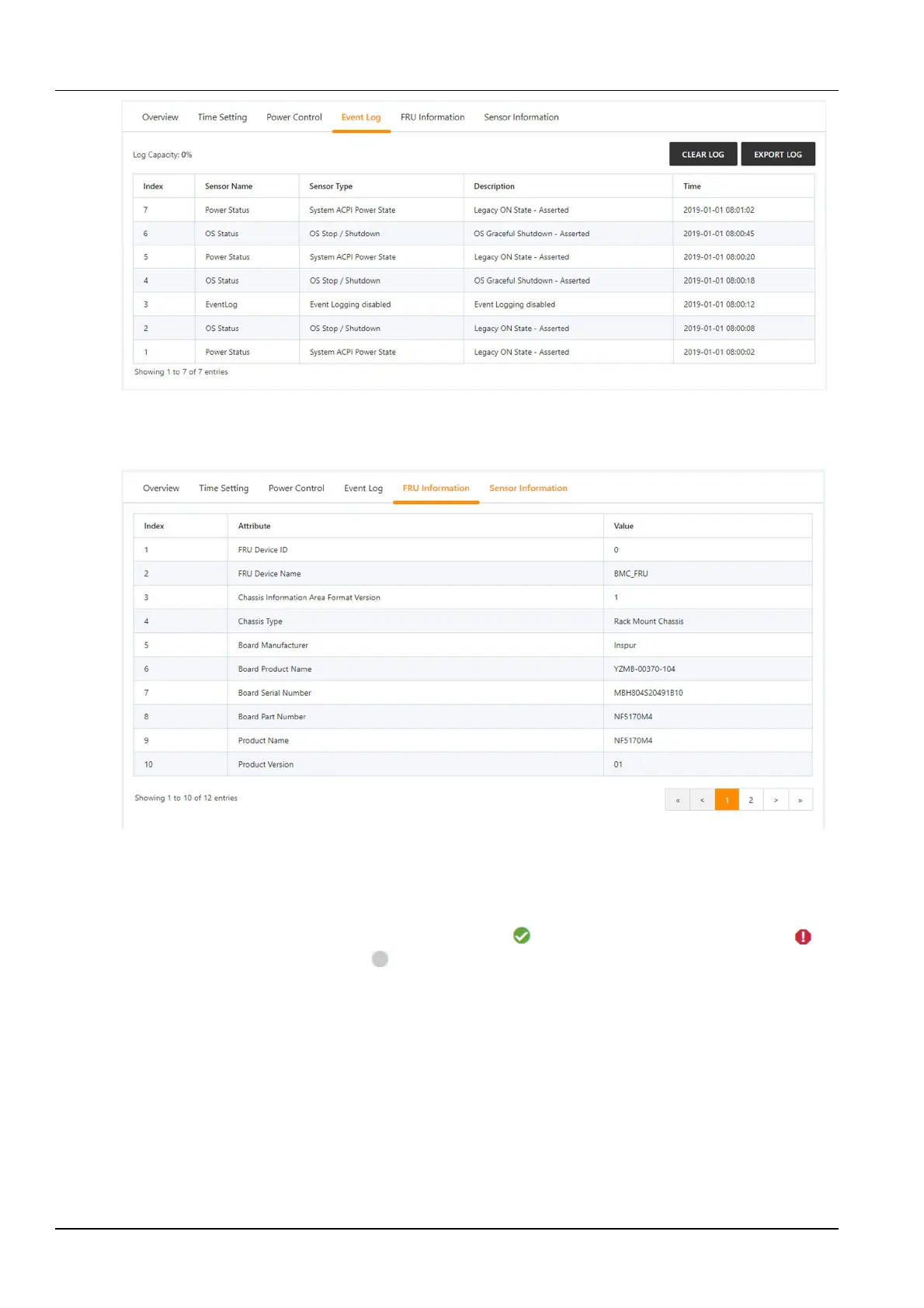
Figure 3-36 Event Log
Click the FRU Information tab on the device detailed information page to enter the FRU information page, which
displays the FRU System Board's properties and values. As shown in Figure 3-37.
Figure 3-37 FRU information
Click the Sensor Info tab on the device detailed information to enter the Sensor Information page. By default, all
categories are selected. You can click on Temperature, Voltage, Fan or Other category to display the information of
the corresponding category of the sensor. As shown in Figure 3-38.
The status is divided into normal, alarm, and unknown. The icon is displayed in the normal state, the icon is
displayed in the alarm state, and the icon is displayed in the unknown state.



 To Next Page