Chapter 3 Web Interface of RDU501
RDU501 Intelligent Monitoring Unit User Manual
1.
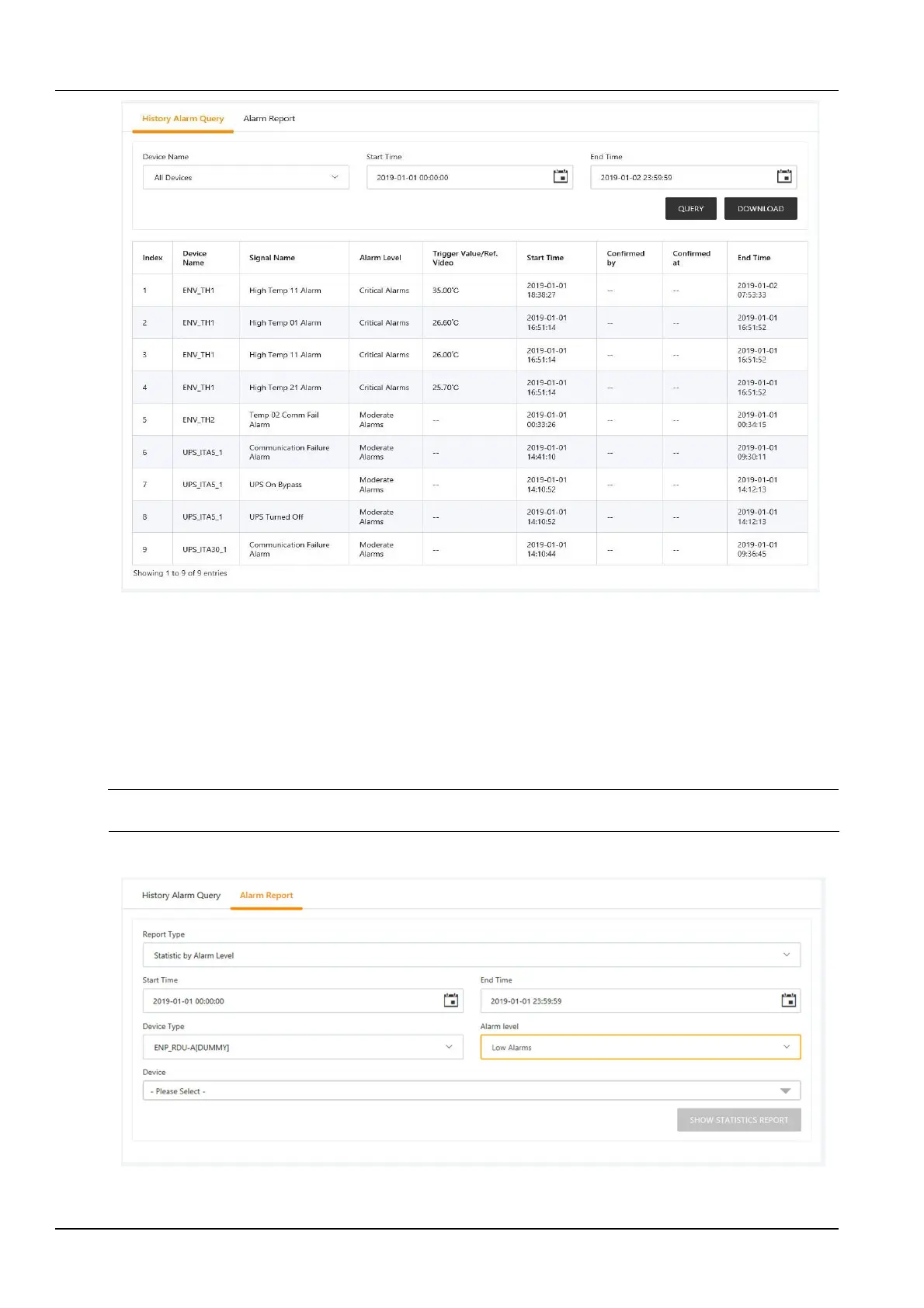
Historical alarm query
Figure 3-69 Historical alarm query
Click the Historical alarm query submenu to view historical alarm records. Select a device (such as "All Devices")
and set the start time (for example "2019-01-01 00:00:00") and the end time (for example "2019-01-02 23:59:59").
Then click the Query button to list all the alarm records from the start time to the end time, including: serial number,
device name, signal name, alarm level, trigger value/linkage recording, start time, confirmer, confirmation
time and end time as shown in Figure 3-69.
Click the Download button to download the query results.
Note
The page displays up to 500 results, and more than 500 items need to be downloaded through the Download button.
2.
Alarm statistics report
Figure 3-70 Alarm statistics report configuration



 To Next Page