Chapter 3 Web Interface of RDU501
RDU501 Intelligent Monitoring Unit User Manual
Thermal Management
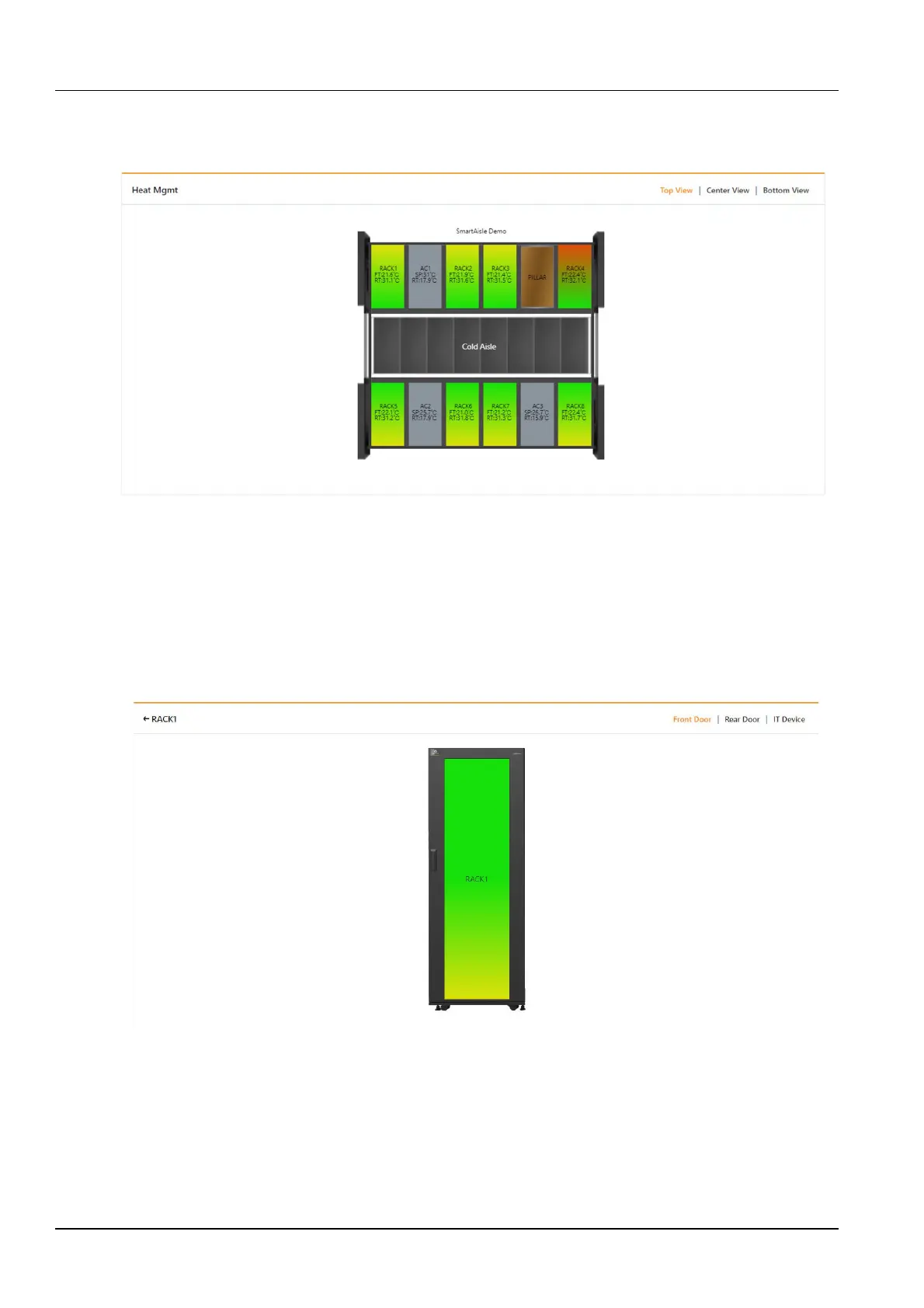
Click the Thermal Management submenu under the Smart Solution Modeling menu to open the page shown in
Figure 3-94.
Figure 3-94 Thermal Management
The thermal management page displays the temperature field data of each rack in the module in 2D. Wherein FT
represents the front door temperature and RT represents the rear door temperature. The color of the rack reflects the
temperature distribution of the rack.
The thermal management page displays the Top View by default, and the Top View shows the front door (top) and
rear door (top) configuration sensor temperature data. Click on the Middle and Bottom Views in the upper right to
view the temperature data of the front door (middle), rear door (middle) and front door (bottom) and rear door
(bottom).
Clicking on a single rack will open the temperature field page of the rack, as shown in Figure 3-95.
Figure 3-95 Thermal management -single rack
The thermal management page for a single rack displays the Front Door view by default, and the Front Door view
shows the temperature distribution of the sensors respectively on the front door (top), front door (middle), and front
door (bottom).
You can switch to the Rear Door view and the IT Device view by clicking the Rear Door and IT Device at the top
right of the page. The rear door view shows the temperature distribution of the sensors respectively on the rear door
(top), rear door (middle), and rear door (bottom). The IT Device view shows the temperature distribution of the IT
Device on the rack.



 To Next Page