Chapter 3 Web Interface of RDU501
RDU501 Intelligent Monitoring Unit User Manual
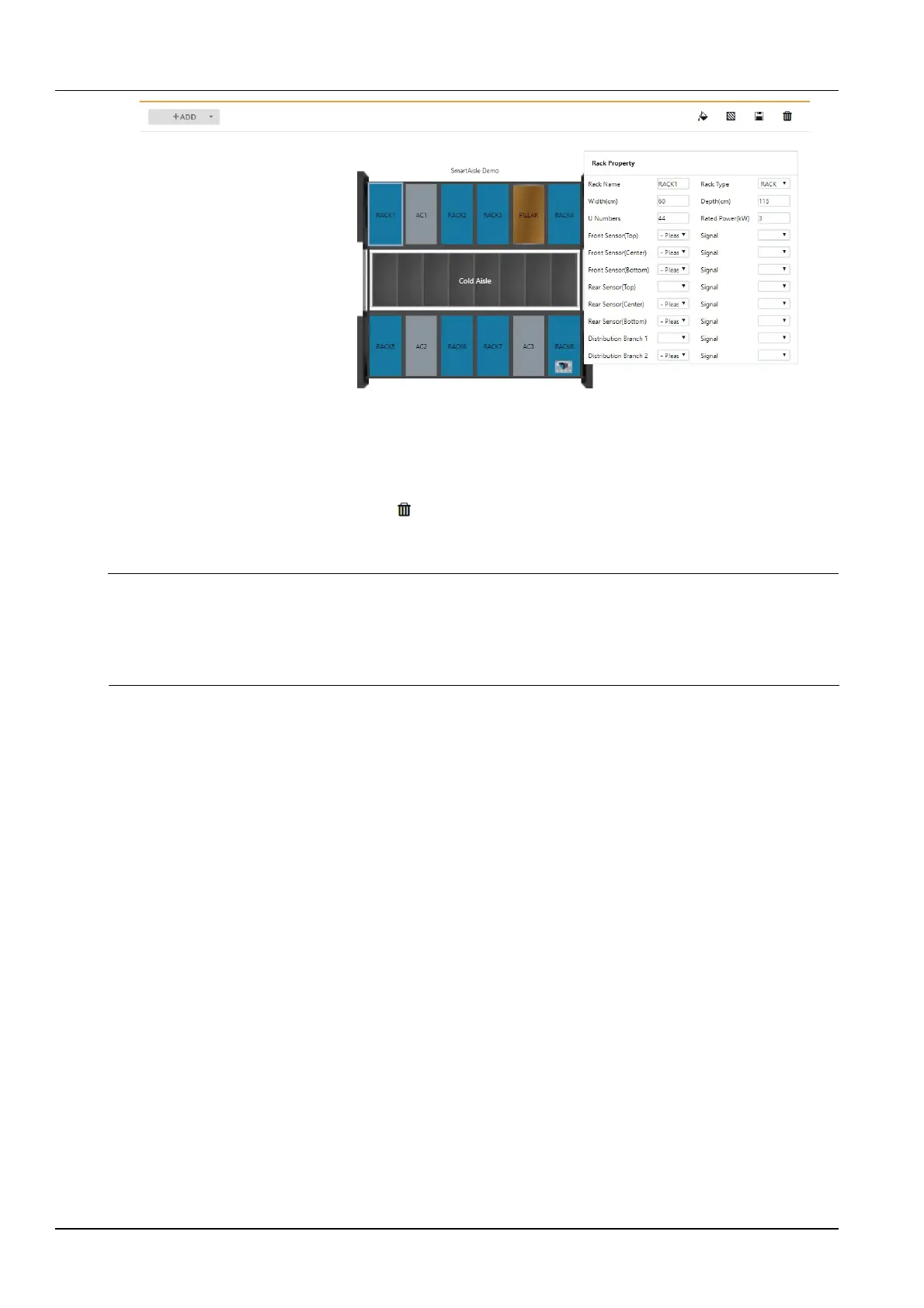
Figure 3-101 SmartAisle rack properties
After adding or modifying module properties and rack properties, you need to save by clicking the Save icon at the
top right of the page.
When deleting the model, click the Clear icon at the top right of the page, a prompt box will pop up, prompting the
modeling information to be deleted, and clear the relevant asset binding information. After clicking the Confirm
button, the current model will be deleted.
Note
1.
The width of the rack in the module is 60cm by default and the default depth is 115cm. The default number of SmartRow rack
is 7. The default number of SmartAisle rack is 12.
2.
After modifying the model or rack information, if you leave the page without clicking the Save button, a prompt box as shown
in Figure 3-41 will pop up asking if you want to confirm leaving the page. Clicking the Cancel button will stay the current page,
and clicking the Confirm button will leave the page and ignore the modification information.
2.
Temperature field color setting
Click the Temperature field color setting icon at the top right of the page to open the settings page shown in
Figure 3-102.



 To Next Page