Chapter 3 Web Interface of RDU501
RDU501 Intelligent Monitoring Unit User Manual
Click the Assets on Shelf menu under the Smart Solution Modeling menu to open the Assets on Shelf page. The
Assets on Shelf page displays the space capacity of each rack in the module in 2D by default.
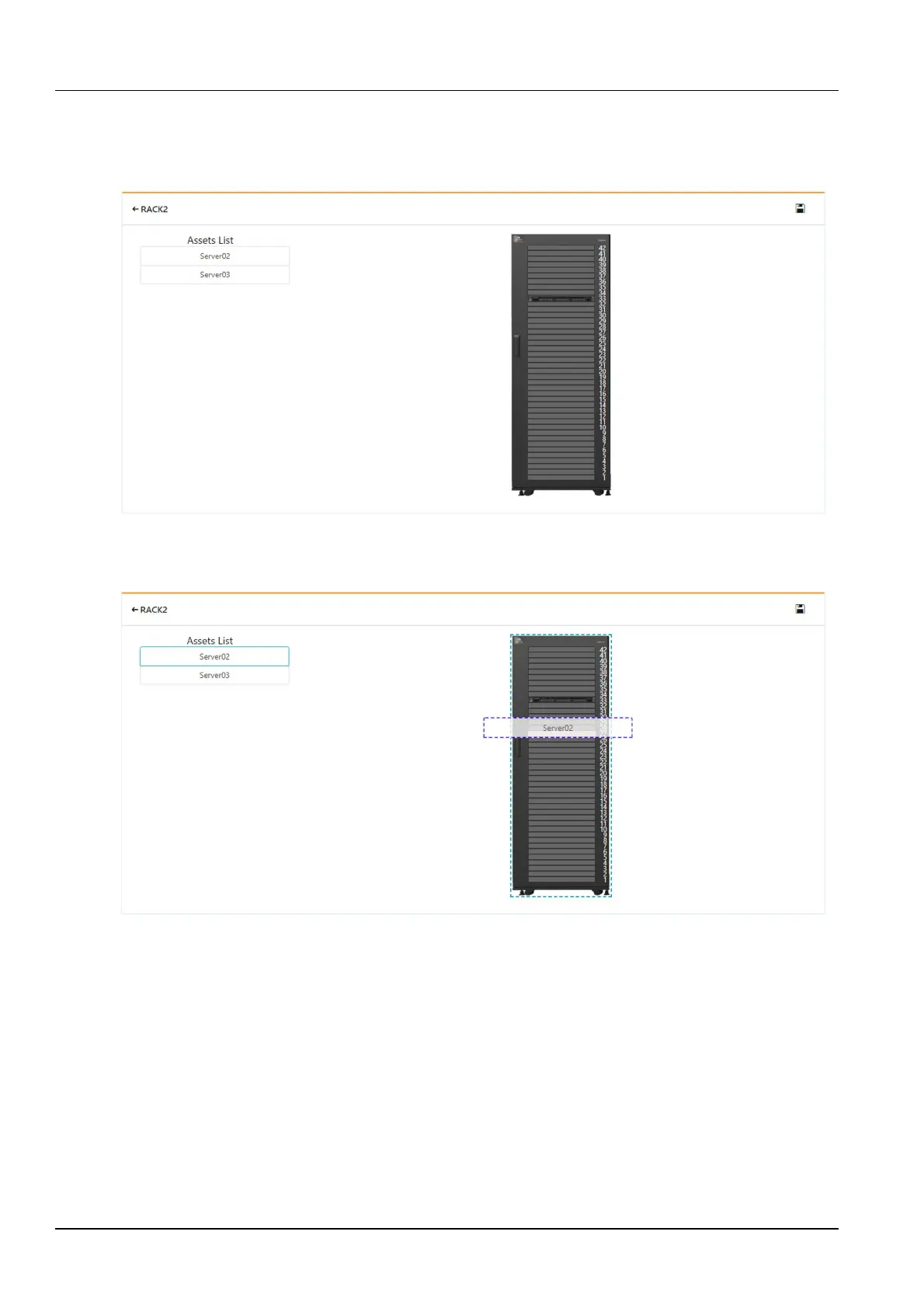
Clicking on a single rack will open the asset management page of the rack. The left side of the page is the list of
devices to be put in shelf, and the right side is the rack and devices in shelf, as shown in Figure 3-104.
Figure 3-104 Assets on the shelves
When putting the asset on the shelf, use the mouse to select the device to be mounted. Hold down the left mouse
button and drag the device to the U position corresponding to the right rack, as shown in Figure 3-105.
Figure 3-105 Put asset on shelf-drag
After the assets are put in the shelf, you can display the asset properties area by selecting the device that has been
put in shelf. The asset properties include asset name, asset type, location, U-digit number, and temperature signal,
as shown in Figure 3-106. After modifying the temperature signal of the asset, you can view the IT equipment
temperature field in the Thermal management single rack IT equipment temperature field.



 To Next Page