Chapter 3 Web Interface of RDU501
RDU501 Intelligent Monitoring Unit User Manual
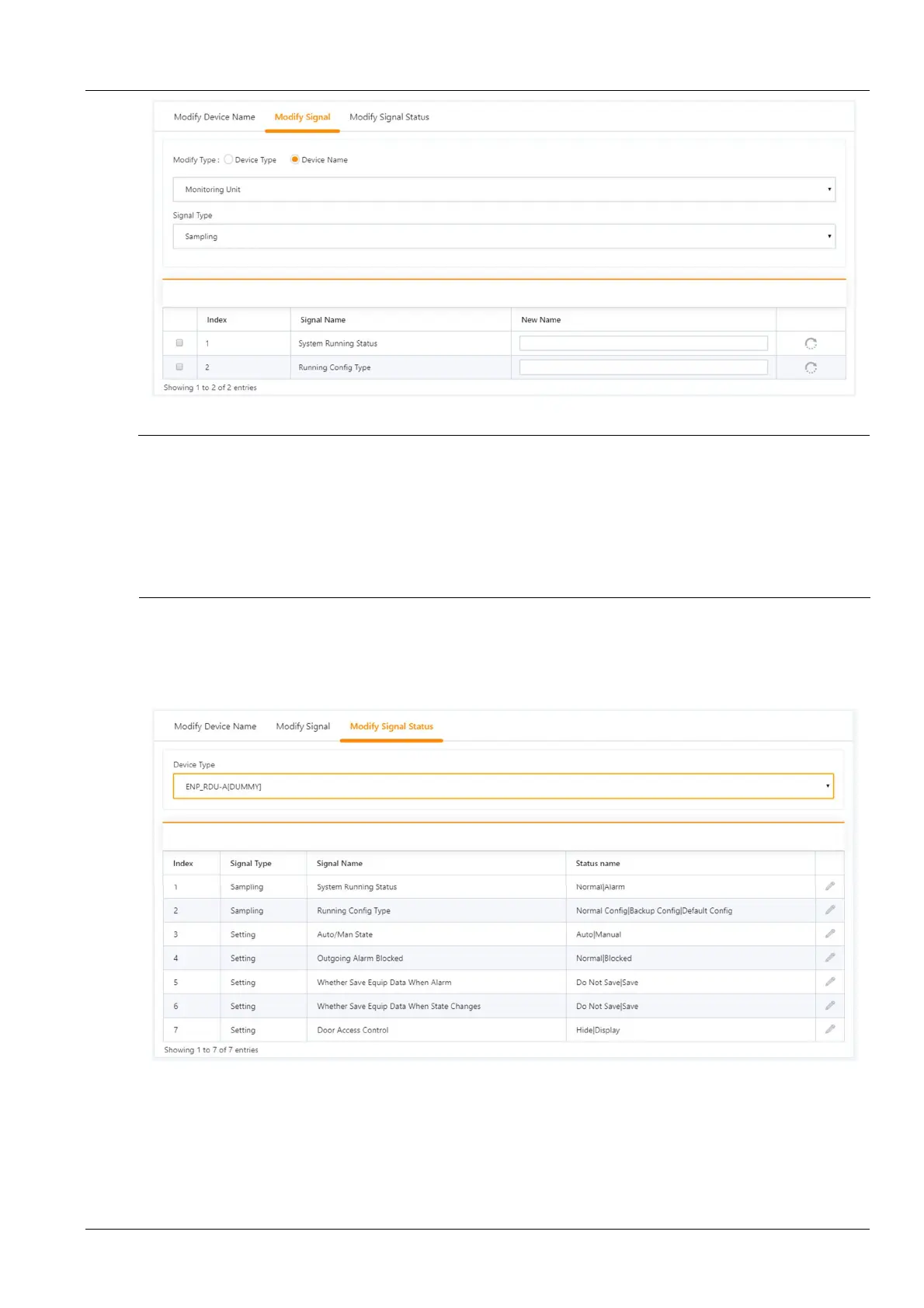
Figure 3-119 Restore the default name
Note
1.
For ENV-TH, ENV-THD and ENV-4DI, the system has the function of linkage modification of the signal name, that is, if the
name of the acquisition signal is modified, and the corresponding control signal, setting signal and alarm signal name will be
modified accordingly, so the page only provides the function to modify the acquisition signal name.
2.
The signal name modified here will be used as the default signal name for the device.
3.
When modifying by device, for the analog signal of ENV-THD and 8DIAI devices, modifying the signal unit is supported.
4.
When modifying by device, the function of restoring the default signal name is supported.
5.
You can set the signal in batches by checking multiple leftmost check boxes, and set up 16 signals at the maximum batch size.
3. Modify signal status
Click Modify Signal Status to open the Modify Signal Status page. Selecting the device type will display all status
signals under the device type, as shown in Figure 3-120. Click the Modify button on the right side of the list to modify
the signal status.
Figure 3-120 Modify signal status 1
Click the Modify button to open the Modify Signal Status page, as shown in Figure 3-121. Enter the new status name
and click the Save button to complete the modification of the status name of the signal.



 To Next Page