Commissioning Guide VESDA-E VEA
32407_01 5
4 Commissioning Tests
4.1 Initial Tests
1. Run a Flow Scan to the detector. Select the detector, right click it then select Device and click Start Flow
Scan Base. This process might take 35 minutes.
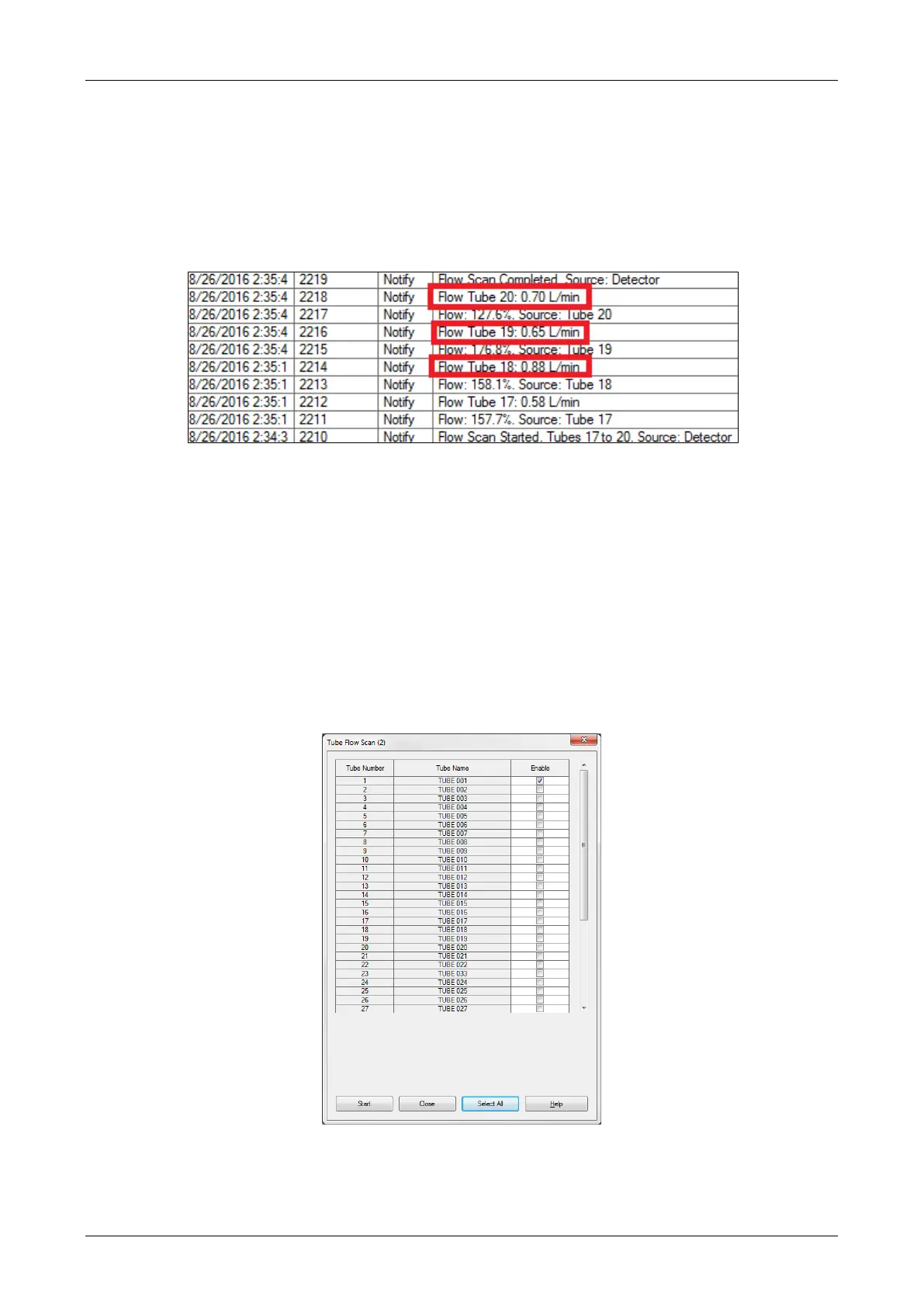
2. Generate a log file with all the available data. Check the airflow values in the event log for each tube as
shown in the example below.
• Values must be in range of 0.3 – 0.90 liter/minute depending on the site condition.
• Values less than 0.3 l/m: Check tube blockage.
• Values more than 0.90 l/m: Check tube/ connector leakage.
Note: Ensure that all the tubes are of correct length including when the combination is used with 4mm
and 6mm tubes, incorrect tube lengths may cause faulty flow values.
3. Record the tubes with both high and low flow values for further debugging. It is recommended to attempt
the fixes for all high or low flow value tubes at the same time and then use the Tube Flow Scan function.
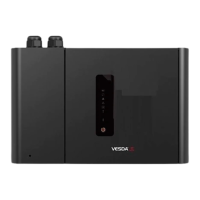
Note: The tube flow scan allows you to select specific tube(s) and do a quick flow measurement. Note
that tube flow scan is only used for debugging where the flow may be too high or too low.
To run a tube flow scan, select Tube Flow Scan from the Device Menu, then tick the tubes for which the
tube flow scan is to be done and select Start. “Testing In Progress” will be displayed. The detector will
move the rotary valve to each tube and measure the flow rate. The event log will have an event showing
the flow rate for each selected tube.











 To Next Page