VESDA Maintenance Guide VESDA
34 www.xtralis.com
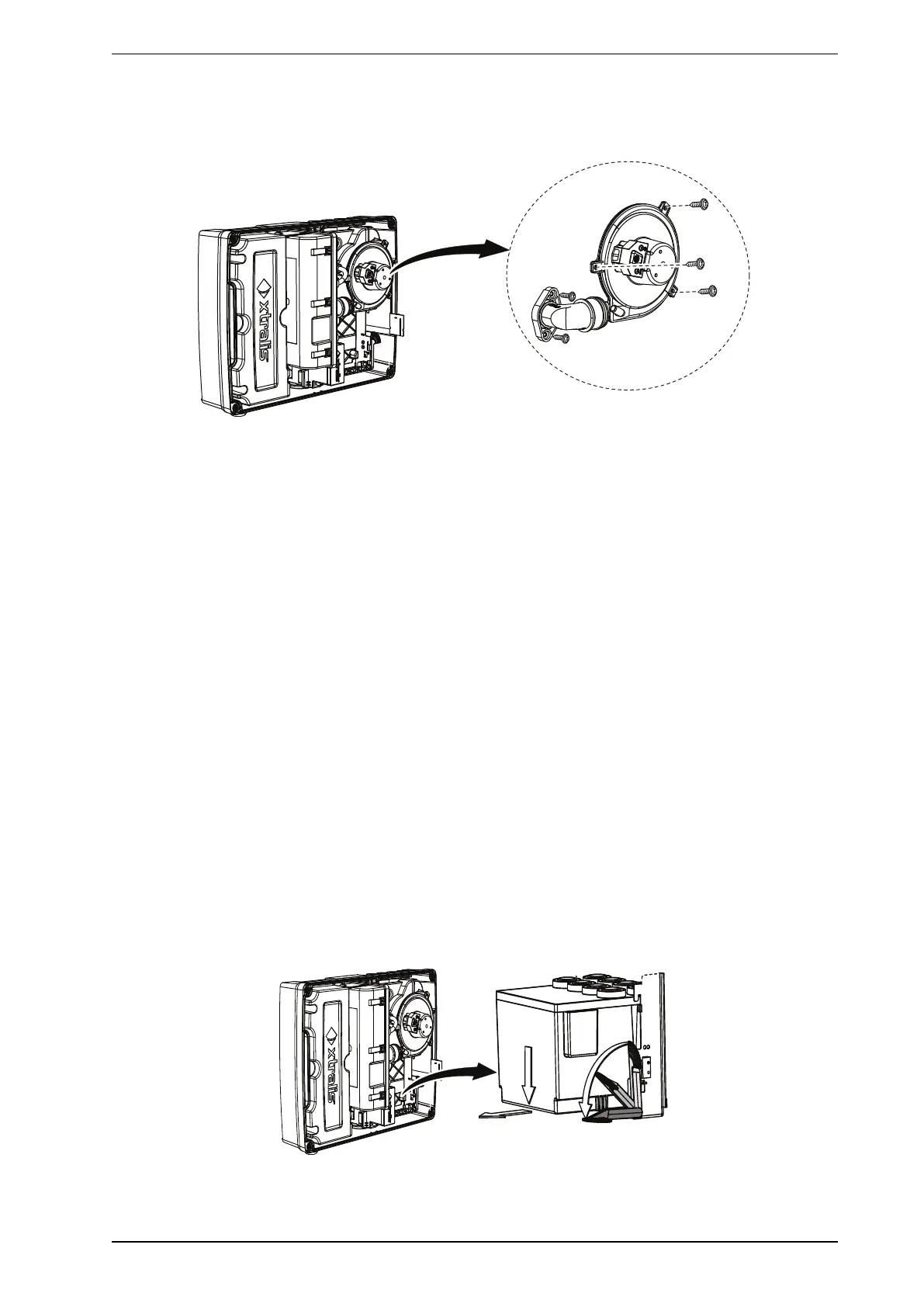
Figure 8-22: Intelligent Filter Removal
5. Remove the three Aspirator screws (A) and the two screws on the exhaust port (B).
6. Remove the Aspirator (C).
Figure 8-23: Aspirator Replacement
7. Flip the aspirator and disconnect the Aspirator cable.
Reinstall the replacement Aspirator
1. Ensure that the 24V input is still disconnected.
2. Connect the aspirator cable.
3. Install the new aspirator (C), the three aspirator screws (A) and the two screws on the exhaust port (B).
4. Reinstall the Intelligent Filter.
5. Power up the detector by reattaching the 24V supply.
6. Wait approximately 10 minutes to ensure that the detector does not report any fault conditions.
7. Perform a smoke test and ensure detector response is as per commissioning data.
8. If the replacement aspirator is brand new, execute the Reset Aspirator Life command in Xtralis VSC.
8.4.4 Replacing the VESDA VLI Chamber Assembly
Notes:
l It is important to precisely follow the sequence below in order to avoid kinking the tubes.
l Remove the longer tube near the secondary filter first, followed by the shorter tube near the aspirator.
Requirements
l Philips head screwdriver
l 10mm spanner or flat-blade screwdriver
Remove the Detection Chamber Assembly
1. Set the detector to Standby mode.
2. Remove the front cover.
3. Power down the detector by removing the 24V input.
4. Remove the Intelligent Filter (Figure 8-24). Refer to Section 8.4.1 on page 32 for further information.
Figure 8-24: Intelligent Filter Removal











 To Next Page