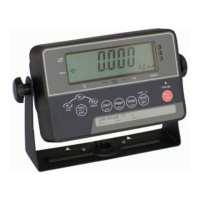
Service Manual Indicator JIK-6 Page 7
Overview: To set the
conditions for appearance of
zero point symbol.
: ~
Appearance of zero point symbol when
variation is ±1e, 2e…±5e
: Off
:
A03
Zero Point-Tracking Range
Overview: To reduce zero drift
problems caused by
environment and other factors.
: ~
1e/s…5e, however, when precision
setting is lower than 6100/1 (OIML), it
will be adjusted automatically into 0.5e/s.
: Off
A04
Power Down Mode
Overview: standby function
setting.
: ~
Take effect in 1~10 minutes. (Press any
key to restore)
: OFF (without hysteresis effect)
: ~
:
A05
Hysteresis Selection
Overview: To reduce critical
drift problem. However, it is
not always better to set high
values. Test of effect must be
carried out with respect to
each segment.
: ~
: or 0 (no shockproof effect), 1(worst effect)
:
A06
Shockproof Factor
Overview: To reduce
interference caused by bad
operating environment.
: ~
: ~ 1e~19e
: 20e (OIML)
A07
Min. Weighing Capacity
Overview: Min. printing range
up to 1e. (Originally it requires
20e and above)
: 21e
: OFF (no filtering effect)
: ~
:
A08
Filtering Factor
Overview: To improve
unstable condition of the scale;
in principle, the higher setting
the better effect.
: ~
1(worst), 2, 3… 9(best).
: . or .
Display when variation is within 0.2e or
0.5e
A09
Stable Symbol Display
Range
Overview: To set the
: Display when variation is within 1e


 To Next Page
 Loading...