Mastertech Kit Components
Mastertech 3100 Operator’s Manual Page 3-5
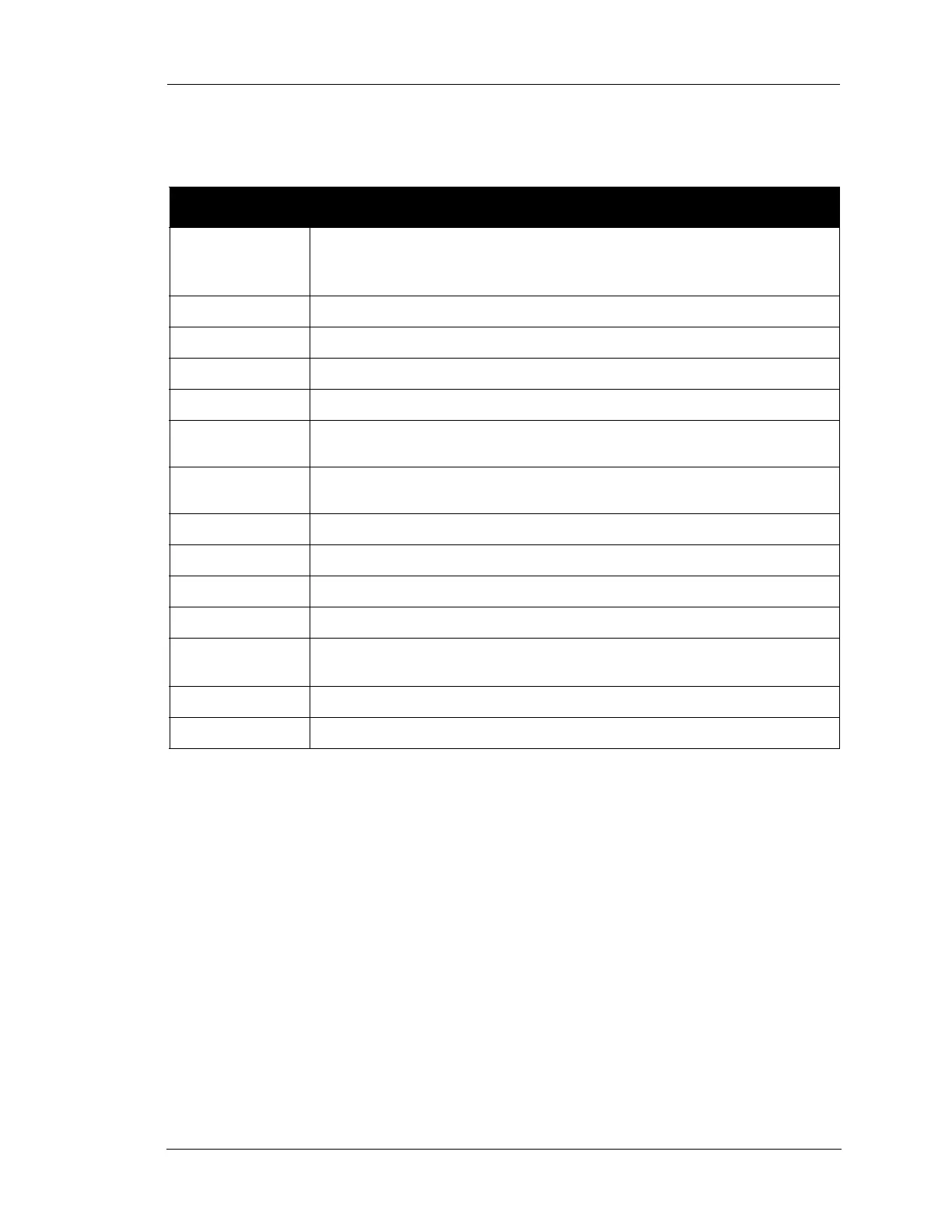
MASTERTECH KEY FUNCTIONS
KEY FUNCTION
A and P Similar to the shift key on a typewriter, the A and P keys are used in conjunction with
other keys as a modifier. Press the
A or P key and hold it down while you press the
second key. For example,
P x .
o
Turn the tester on.
p x
Turn the tester off.
d, u
Move the cursor (highlight) on the display up or down.
l , r
Move the cursor (highlight) on the display left or right.
y , n
Answer questions asked on the tester display. Display and select data parameters to
monitor.
e
Confirm information on the tester display. Terminate a numeric entry. Move ahead in
procedures. Select a highlighted menu entry.
h
Display a list of the active keys and a summary of the functions.
v
Receive input from an external device.
s
Send information (data only) to an external device such as a printer.
P s
Screen Print. Sends the current display to a printer.
x Return to a previous step in procedures. Return to normal operation after the h key
has been pressed.
0 - 9
Used to select and control modes. Input data to the tester and designate trouble codes.
) - (
Used as function keys.


 To Next Page