Getting Started
Page 5-6 Mastertech 3100 Operator’s Manual
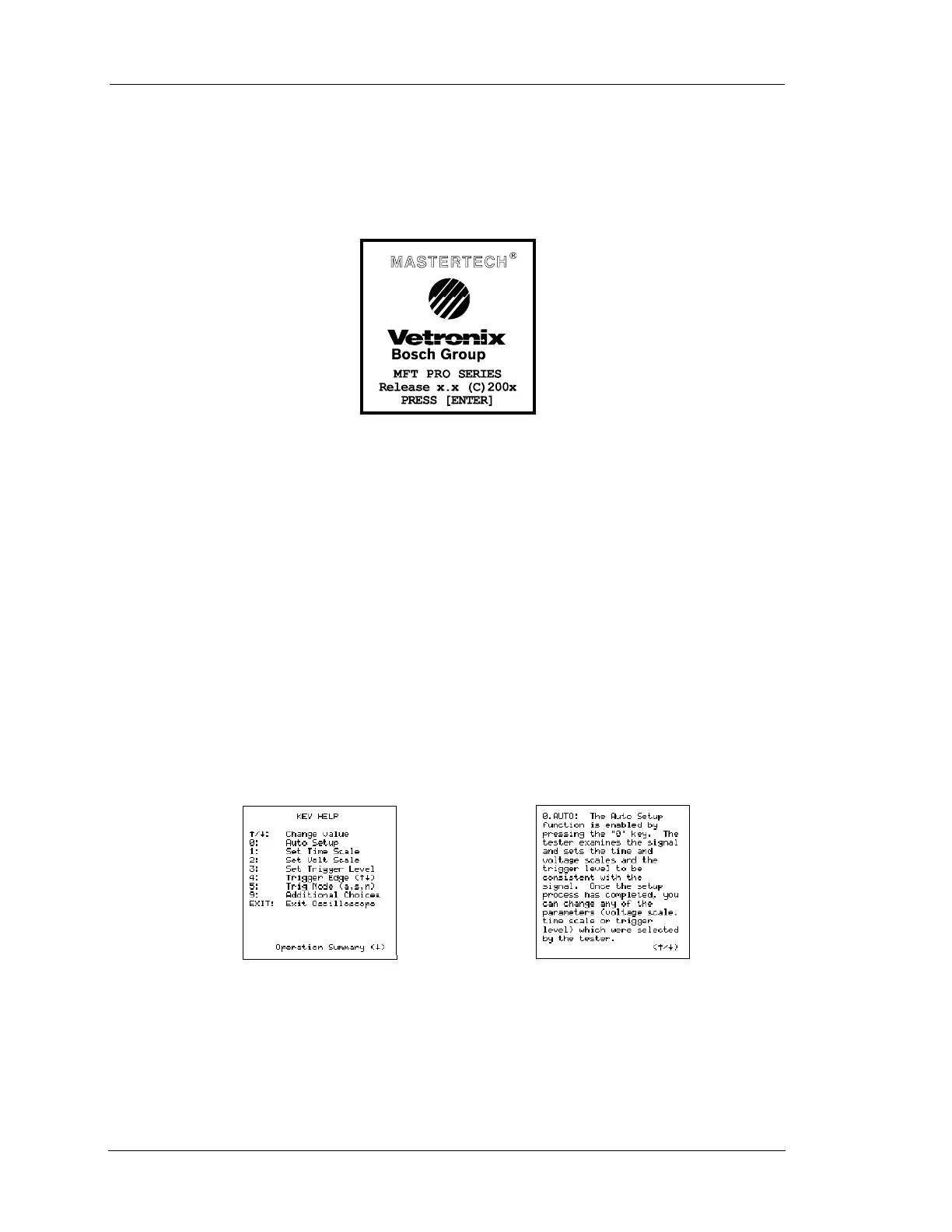
POWER-UP DISPLAY
Verify that the power up display for the program card or cartridge is correct. If the display is correct, follow
the instructions in the program card or cartridge operator's manual.
If the Mastertech is powered up without a program card or cartridge installed, the tester displays “NO
PROGRAM CARD INSTALLED.”
If the screen remains blank or something other than the Power-up screen is displayed, see Appendix B.
HELP SCREENS
A list of the active keys for the screen displayed on the tester is available by pressing the H key. The
HELP screens display information about which key to press to select a different mode, how to move the
marker (cursor or highlight), print, or exit from the display. The example below illustrates the Key Help
screen displayed when H is pressed while oscilloscope is active. For some functions, pressing U
will display additional information about the active function.
FIGURE 5-5. Power-Up Display with Multi-Function Tester Program Card Installed
FIGURE 5-6. Help Screens
When H is pressed
When U is pressed


 To Next Page