Mastertech 3100 Operator’s Manual Page 4-1
4. ACTIVATING THE BATTERY
BACKED MEMORY
Before using the Mastertech for the first time, the following steps must be performed in order to activate the
NiCad battery pack and the Lithium battery.
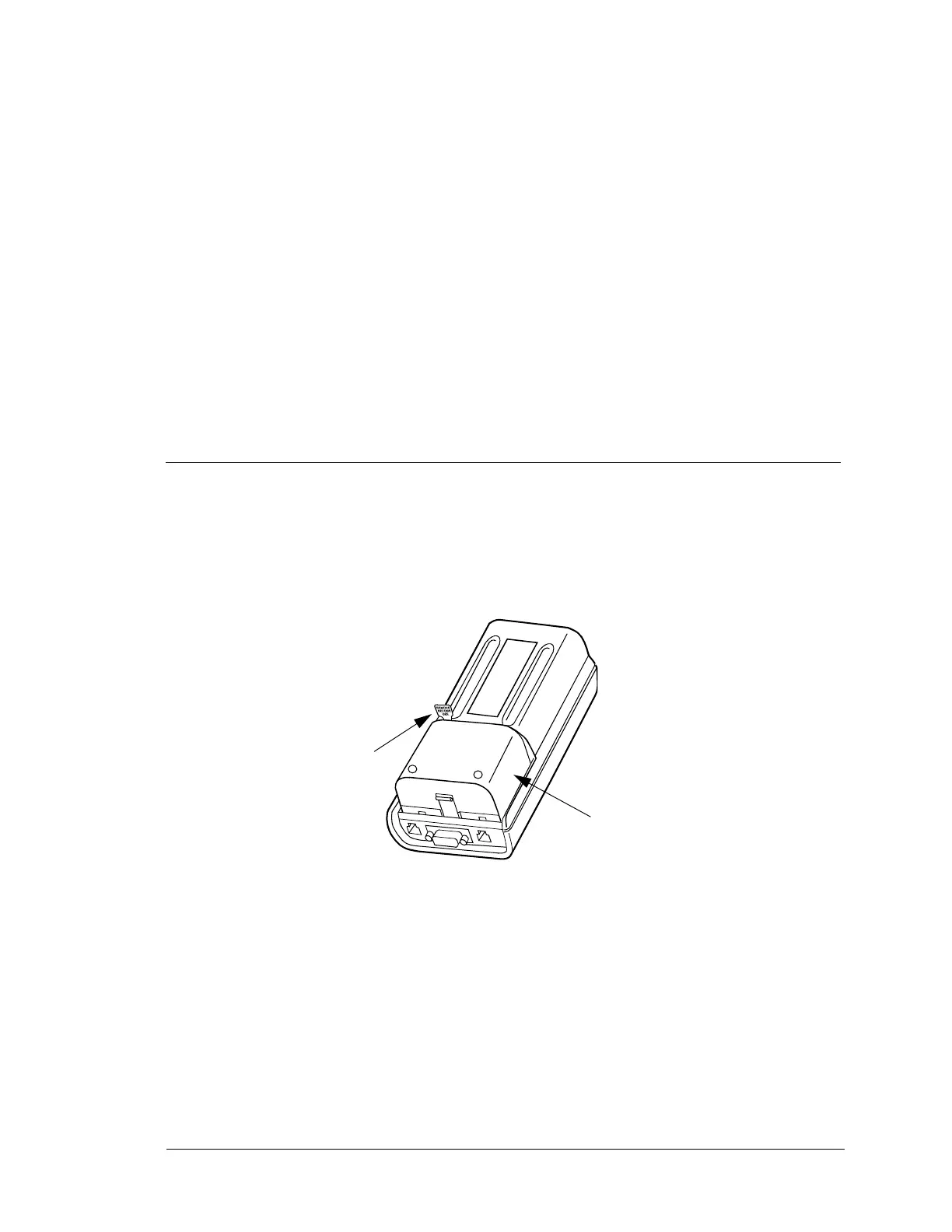
1. To activate the NiCad battery pack, see Figure 4-1. Remove the plastic strip that is visible on the back of
the Mastertech. Remove the strip completely.
2. To activate the Lithium battery, see Figure 4-2 to remove the NiCad battery pack. Press on the tab at the
bottom end of the battery pack while pulling the battery pack toward the bottom of the tester.
FIGURE 4-1. Activating NiCad Battery
Remove
Plastic
Strip
NiCad
Battery
Pack


 To Next Page