Mastertech 3100 Operator’s Manual Page 6-1
6. USING THE PORT
CONNECTIONS
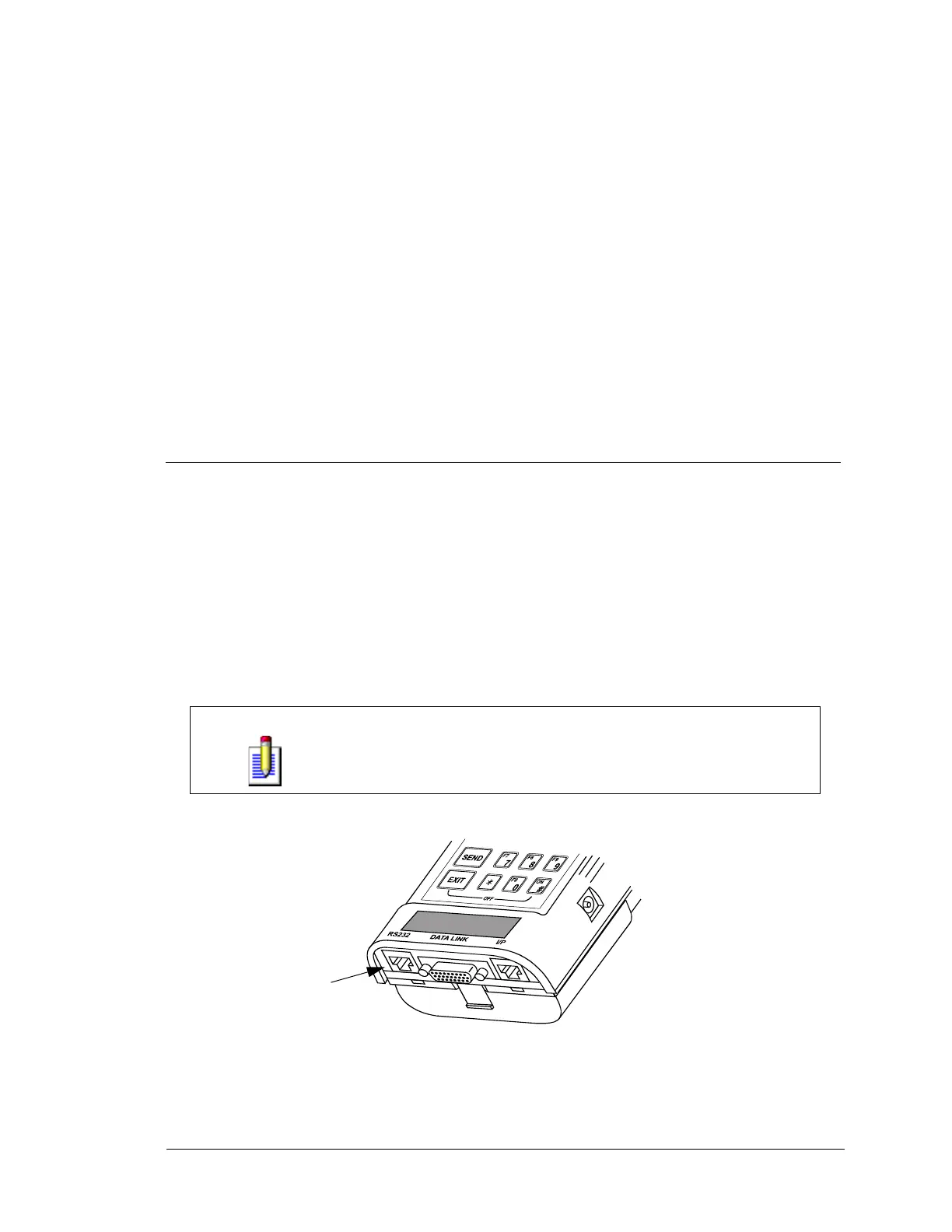
RS232 PORT
The RS232 port is a standard connection for communication between computers and computer peripherals
such as printers and remote host computers. RS232 compatible equipment may be connected to the RS232
port via the 10-pin RJ45 connector located at the bottom left end of the tester.
The operation of the RS232 functions are dependent on the program card or cartridge and the RS232 device
being used. Operating procedures for these functions are included in the operator's manuals for the program
card or the RS232 device.
NOTE
One RS232 function which is common to all program cards is the “Screen
Print” function. If you are using a compatible RS232 graphic printer, you
can print what is displayed on the tester screen by pressing P S.
FIGURE 6-1. RS232 Port
RS232 Port


 To Next Page