Getting Started
Mastertech 3100 Operator’s Manual Page 5-5
TURNING THE TESTER ON AND OFF
Connect the tester to one of the power sources listed above, then press the o key.
The battery pack allows you to turn the tester on without being connected to external power. Simply press
the o key.
To turn the Mastertech off, press P x, then release the P key before releasing the x key.
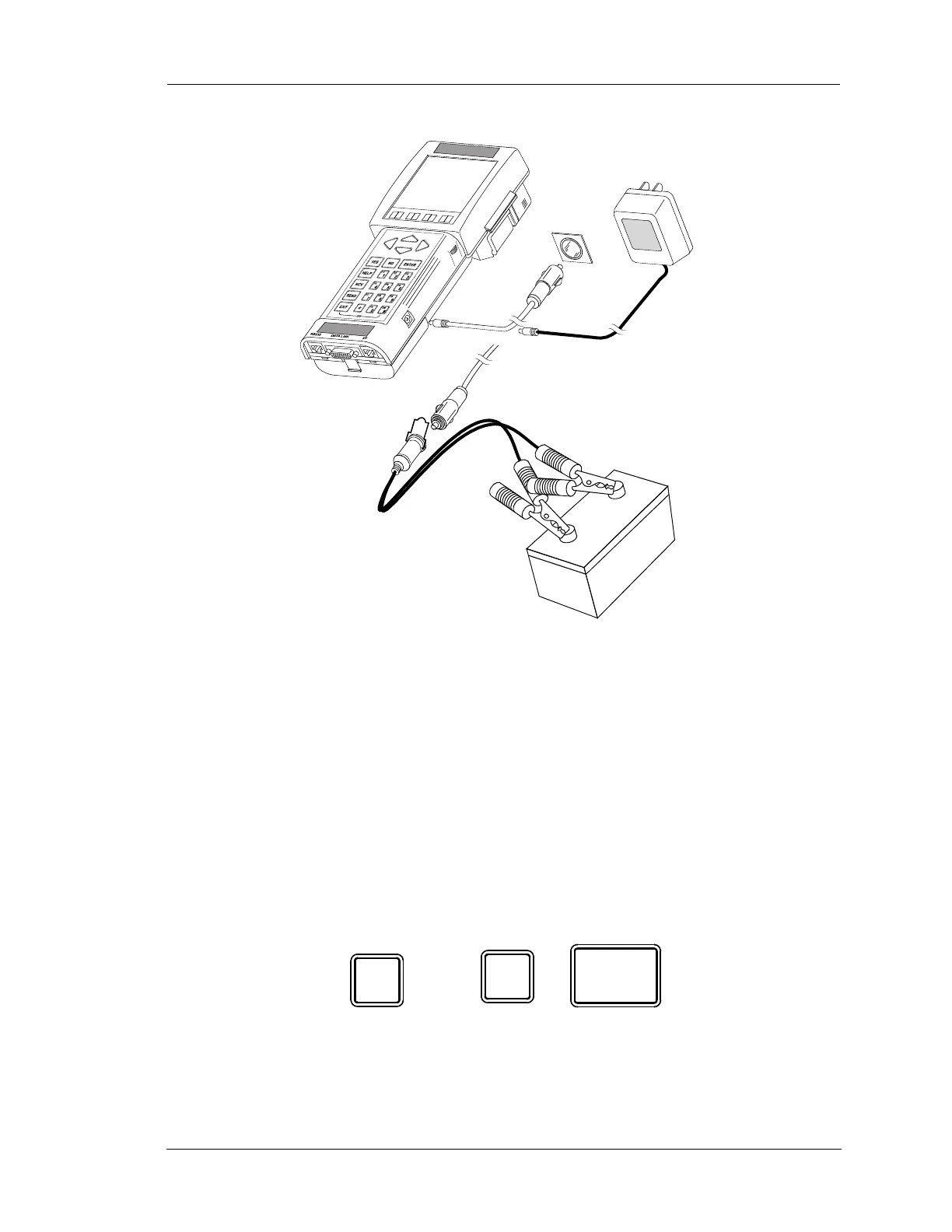
DC POWER
CABLE
DC POWER
CABLE
BATTERY
BATTERY
ADAPTER CABLE
(OPTIONAL)
CIGARETTE
LIGHTER
AC/DC
ADAPTER
(OPTIONAL)
FIGURE 5-3. Powering the Mastertech
#
ON
EXIT
#
ON
FIGURE 5-4. On and Off Keys
+
ON Key OFF Keys


 To Next Page