To load a design from a FAT16 or FAT32 formatted flash drive or external
hard drive, press MENU, select "File", then "Udisk+", and then "Copy to
Memory". Select the design in the File menu, and then select Run. Various
parameters can be adjusted using the console's menus and submenus,
including setting multiple origins to engrave a design on a material four
times in a single session.
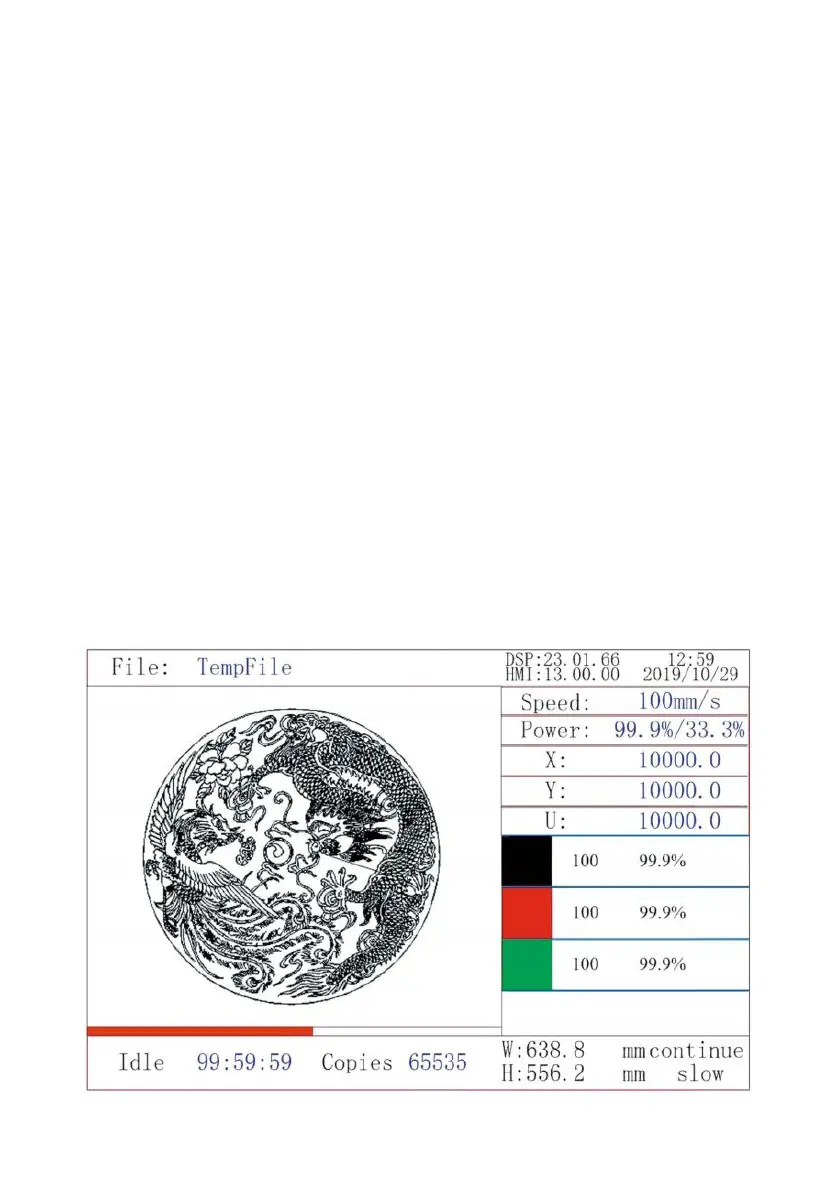
When running the design from the console, this will be the main display.
The design should be displayed in the upper left corner, and its name,
along with the current speed and power settings, should be displayed in
the upper right corner. The position of the laser head relative to the table is
shown as X (horizontal) and Y (vertical) coordinates. The Z-coordinate
shows the elevation of the workbench itself. The U-coordinate can be
configured to control the axis of rotation or automatic feeding, if installed.
Below them are layers that contain instructions about their individual speed
(in mm/s) and maximum power as a percentage of the machine's rated
power. The number of batches in the lower left corner records the number
of times the current design has been engraved in a single session.



 To Next Page