UniOP
46
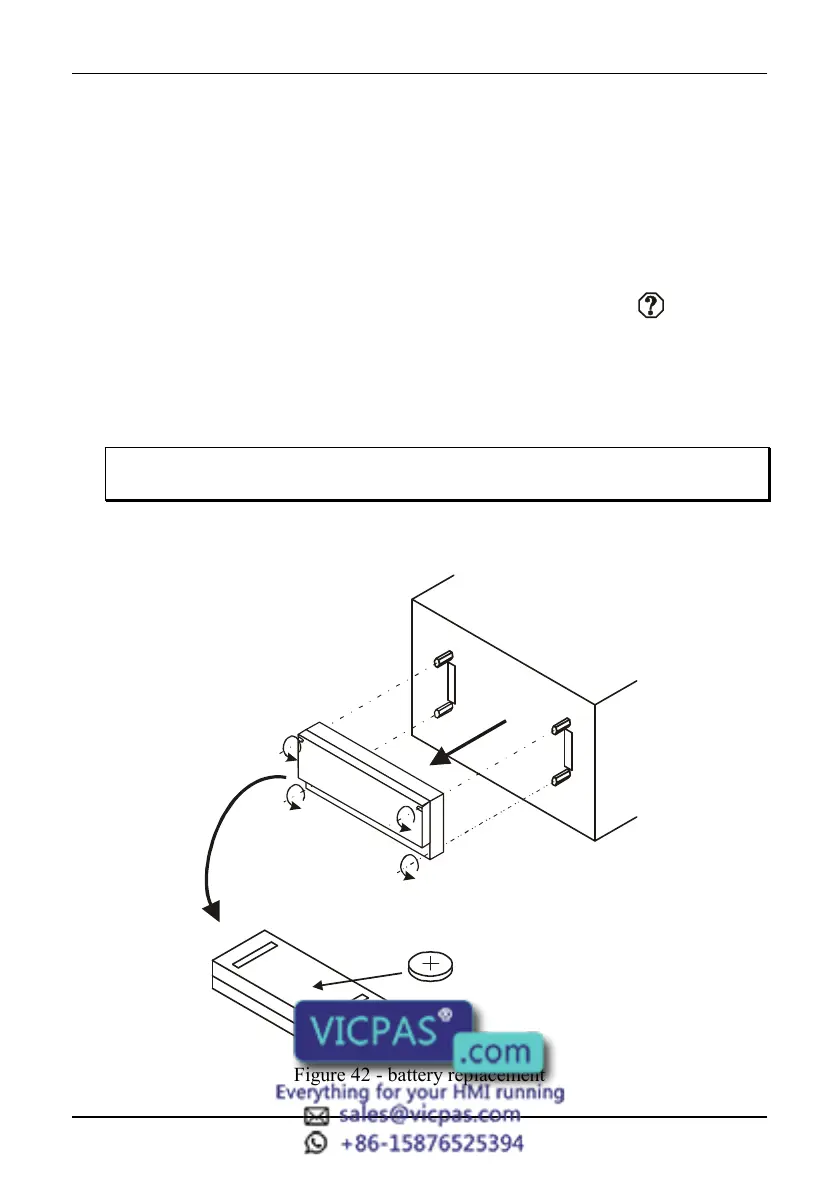
Battery Replacement
Some models require the use of the lithium battery for data back-up.
The following information is maintained by the battery:
• hardware real-time clock (date and time)
• event list
• recipe data
UniOP panels signal the battery status in more than one way:
• blinking of the LED indicator FAULT or FLT (when available) or
• with the ‘Battery’ field in System Menu (BATTERY OK or LOW)
• with the value of the S6 bit in the RDA
When the panel signals that the battery is low, you should replace the battery as soon
as possible.
Note: Replacing the battery will cause the loss of the data maintained by the
battery.
To replace the battery, follow the procedure listed below:
Figure 42 - battery replacement



 To Next Page